


Lenovo ThinkPad P16s Gen 4 (21RX000LUS) vs LANRUO GPD Pocket 4 (GPD POCKET 4)
Comparison summary
- LANRUO GPD Pocket 4 is hands-down winner as well as a better price.
- For performance GPD Pocket 4 has a better performing processor.
- GPD Pocket 4 has a higher resolution screen (WQXGA).
- For carrying GPD Pocket 4 is lighter.
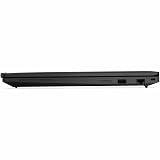

Lenovo ThinkPad P16s Gen 4 (21RX000LUS)
LANRUO GPD Pocket 4 (GPD POCKET 4)
Compare specifications
| Lenovo ThinkPad P16s Gen 4 (21RX000LUS) | LANRUO GPD Pocket 4 (GPD POCKET 4) |
|---|---|
| Processor (CPU)?Central Processing Unit is the heart of a laptop and is responsible for executing programs. Read more | |
| AMD Ryzen AI 9 HX PRO 370 | AMD Ryzen 9 Series |
| Memory (RAM)?Memory increases the general speed and multiprocessing capabilities of a laptop. Read more | |
| - | 32gb |
| Graphics card (GPU)?Graphics Processing Unit calculates 3D graphics and is essential for gaming and heavy programs. Read more | |
| - | Radeon 890M |
| Screen size | |
| 16″ | - |
| Screen resolution | |
| WUXGA (1920 x 1200 pixels) | WQXGA (2560 x 1600 pixels) |
| Weight | |
| 3.77 lbs (1.71 kg) | 1.6 lbs (0.73 kg) |
| Size (length x width x height) | |
| 14.2 x 9.9 x 0.93 inches | |
| (36.07 x 25.15 x 2.36 cm) | |
| Operating system (OS) | |
| - | Windows 11 Home |
| Hard drives | |
| 2000gb SSD | |
| Release date | |
| December 1, 2025 | October 10, 2025 |
| Amazon.com List Price | |
| $4,821.11 | $4,099.99 |
| Amazon.com Lowest New Price | |
| $4,821.11 | $4,099.99 |
| Buy on Amazon.com | Buy on Amazon.com |
Compare Lenovo ThinkPad P16s Gen 4 / LANRUO GPD Pocket 4 vs other AMD laptops:


Lenovo ThinkPad P16s Gen 4 (21RX000LUS) summary
Lenovo ThinkPad P16s Gen 4 is a laptop released in 2025. It doesn't come with the top AMD CPU for its price. The laptop is very easy to carry at only 3.77 lbs (1.71 kg). Merely WUXGA resolution is weak for the 16-inch screen. Your 2000gb SSD storage is okay.
Lenovo ThinkPad P16s Gen 4 21RX000LUS 16" Copilot+ PC Notebook - WUXGA - AMD Ryzen AI 9 HX PRO 370-96 GB - 2 TB SSD - English Keyboard - Black
Ryzen AI 9 HX PRO delivers 50 TOPS via XDNA 2 NPU enabling Copilot+ PC features and hybrid deployment of enterprise-grade LLMs
16" display with 1920 x 1200 resolution delivers stunning clarity for movies, games, and photos, offering an immersive and captivating visual experience
ASIN: B0FGWBHPG8
LANRUO GPD Pocket 4 (GPD POCKET 4) summary
LANRUO GPD Pocket 4 is a Windows gaming laptop released in 2025. It is very light at only 1.6 lbs (0.73 kg). The laptop has the Radeon 890M GPU that is not the best great for gaming. You can run some games published this year using lower graphics settings, but you should check for games you want to play.
LANRUO GPD Pocket 4 [AI 370-32GB+4TB] Modular Handheld Laptop Notebook 8.8" 2560x1600 Rotating Screen Tablet Computer Win 11 Home OS 180 Degrees Rotation AI PC
GPD Pocket 4's CPU & GPU : AMD Ryzen A1 9 HX-370 processor, 12 Cores/24 Threads. Base Frequency 2 GHz Max Turbo Frequency Up to 5.1 Ghz Graphics: AMD Radeon 890M RNDA3 Graphics card. graphics framework 16 graphics cores / 2900 MHz graphics Frequency.
GPD Pocket 4's I/O: USB4(40Gbps)x1, HDMI 2.1x1, Full-Featured USB-C 3.2 Gen2 (10Gbps)x1, USB-A 3.2 Gen2(10Gbps)x1, USB-A 2.0 HighSpeed(480 Mbps)x1,RJ45 Network Portx1, 1x 3.5mm Headset& Microphones.Besides,Our GPD pocket 4 Also has 4 kinds of Modular I/O Ports-- MicroSD card Reader Module(Standard Configuration) and 4G LTE Module, RS-232 module and KVM module.(Not included in Standard configuration,Need to be purchased separately from our store.)
GPD Pocket 4's Screen an 8.8-inch LTPS high-refresh display with exceptional visual performance. Powered by LTPS technology, it delivers a remarkable 97% DCI-P3 wide color gamut and professional-grade ICC color calibration. The 2.5K resolution has a 16:10 aspect ratio which results in a pixel density of 343 ppi, while the 144Hz refresh rate elevates the display to gaming-level smoothness. With a peak brightness of 500 nits and DC dimming technology, the screen offers vivid, precise visuals that redefine the viewing experience.
GPD Pocket 4's Battery: 44.8WH large capacity battery. 2 Hours Of Heavy Use, 4-9 Hours Of Moderate Use, 10 Hours Of Light Use, Depending On The Specific Environment Of Use. Equipped with a 45Wh high-capacity battery and 100W PD fast charging(50% Charge in 30 Minutes), the system directly powers the motherboard while the battery supports charging. This setup provides a comprehensive, fast, and reliable charging experience, ensuring your AI PC always operates efficiently.
GPD Pocket 4 System OS Recovery: Here's the instruction of a simply re-installation to resolve software/driver issues: 1, Long press power button for 2-3 seconds to boot your laptop.Multiple Click "Tab" key when you see power led on.Then you can enter the System Recovery page. Touch the "Start" Icon on the screen when you log into the System Recovery page and then wait for the automatic reinstallation process,all problem resolved.
ASIN: B0F19F8VG6