
Find the best laptops for AI Learns To Drive

Best Laptops for AI Learns To Drive

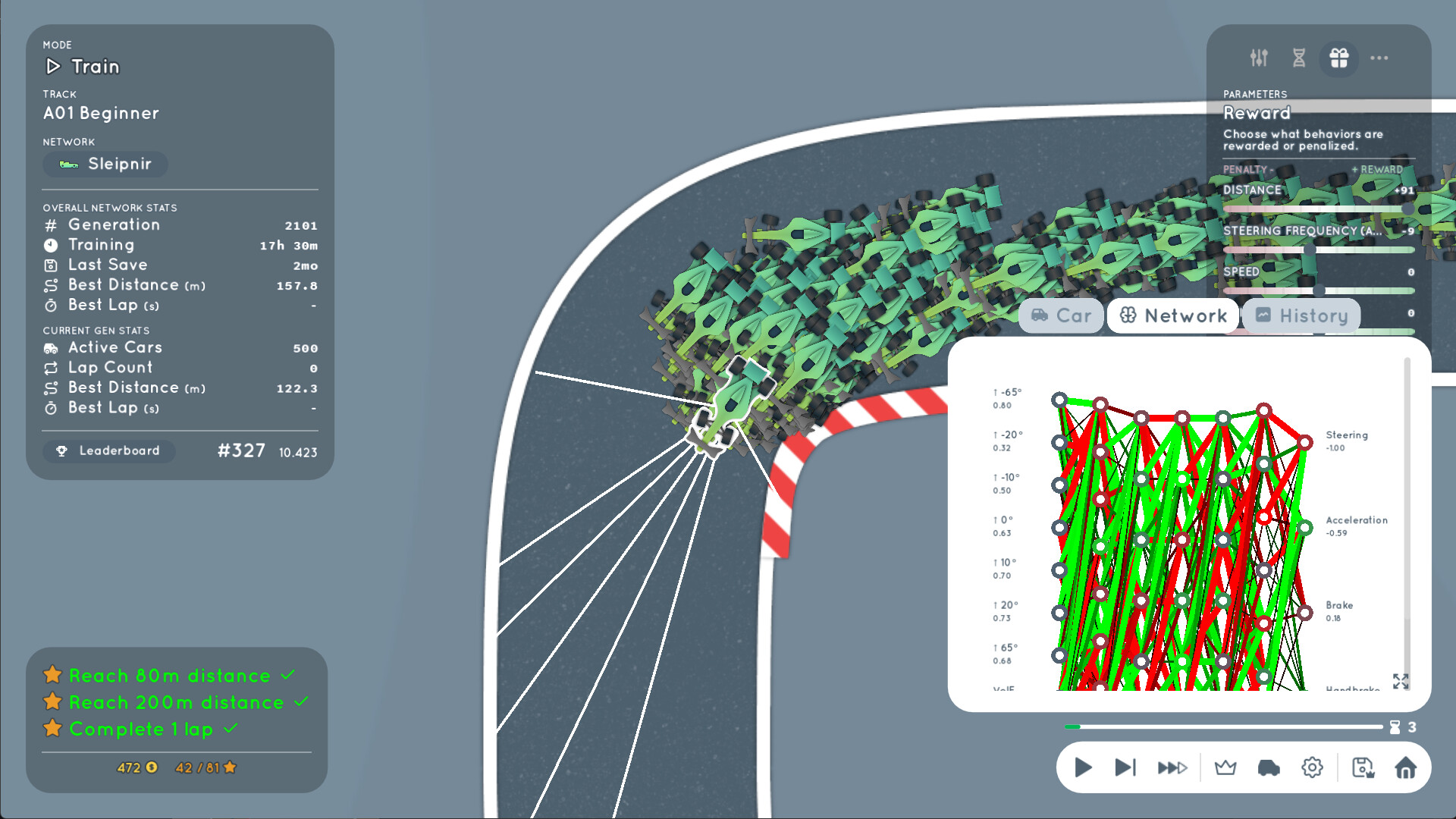
AI Learns To Drive is an indie racing game developed and published by by ActivationFunction launched on August 20, 2026. Train AI to drive. Create your own neural network and watch it evolve from chaos to mastery with the power of evolutionary algorithms and natural selection. Fine-tune the learning process to craft the ultimate AI driver, and test your creation in campaign challenges or on custom-built tracks.

Laptop Requirements for AI Learns To Drive

The system requirements are low, but its preferred to have a dedicated graphics processing unit for successfully running AI Learns To Drive. GeForce MX570 or better mobile GPU is necessary.

Most gaming laptops cover the RAM requirement of 16gb, however 8gb is enough to just meet minimum.

Windows System Requirements

Minimum:
  • Operating System: Windows 11, 10, 8, 7
  • Processor: Intel Core 2 Duo E8200, AMD Athlon XE BE-2300, Snapdragon X Elite
  • Memory (RAM): 8 GB RAM
  • Graphics Processing Unit: Intel HD Graphics 5500 (Broadwell), AMD Radeon R5 Graphics (Kaveri)
  • Storage space: 500 MB available space
Recommended:
  • Operating System: Windows 11, 10
  • Processor: Intel Core i5-6600K, AMD Ryzen 5 1600, Snapdragon X Elite
  • Memory (RAM): 16 GB RAM
  • Graphics Processing Unit: NVIDIA GeForce GTX 1050 (Pascal), AMD Radeon RX 460 (GCN 4.0)
  • Storage space: 500 MB available space

Best Windows Laptops for AI Learns To Drive

These laptops meet the recommended system requirements and let you enjoy the game on high graphics settings without lag and stutter.


ACEMAGIC Mini
ACEMAGIC Mini
M5
2026 model16 GB RAMLightweightAMD CPUHigh resolution
$679.99
$611.99
13″
ASUS ROG Flow Z13
ASUS ROG Flow Z13
Runs 80% of new games on recommended 8060S GPU2026 model64 GB RAMThin2-in-1 laptop
$2,689.95
16″
Acer Nitro V 16″
Acer Nitro V 16″
Runs 70% of new games on recommended RTX 5060 GPU2026 model32 GB RAMIPS screen
$2,059.95
16″
Acer Nitro V 16″
Acer Nitro V 16″
Runs 70% of new games on recommended RTX 5060 GPU2026 model32 GB RAMIPS screen
$1,919.95
16″
Acer Nitro V 16″
Acer Nitro V 16″
Runs 50% of new games on recommended RTX 5050 GPU2026 model32 GB RAMIPS screen
$1,789.99
16″
ASUS ROG Strix G16
ASUS ROG Strix G16
Runs 70% of new games on recommended RTX 5060 GPU2026 model16 GB RAMi7 CPU
$1,729.62
16″
ASUS ROG Strix G16
ASUS ROG Strix G16
G615JMR-AS74
Runs 70% of new games on recommended RTX 5060 GPU2025 model16 GB RAMi7 CPU
$1,629.63
16″
Lenovo IdeaPad 5 2-in-1 16″
2026 modelTrusted brand16 GB RAMThin2-in-1 laptopAMD CPU
$1,039.95
15″
MSI Cyborg 15
MSI Cyborg 15
B2295
Runs 70% of new games on recommended RTX 5060 GPU16 GB RAM
$1,199.00
17″
MSI Cyborg 17
MSI Cyborg 17
B2074
Runs 70% of new games on recommended RTX 5060 GPU2025 model16 GB RAM
$1,556.00
15″
Lenovo IdeaPad 15″
Lenovo IdeaPad 15″
2026 modelTrusted brand16 GB RAMThinTouchscreenAMD CPU
$999.90
15″
Lenovo IdeaPad 15″
Lenovo IdeaPad 15″
2026 modelTrusted brand16 GB RAMThinTouchscreenAMD CPU
$1,099.95
Filter with Laptop Finder

Budget Windows Laptops for AI Learns To Drive

These cheaper options meet the minimum system requirements stated by the developer. You may need to lower the graphics settings or the in-game resolution to run the game smoothly.

17″
HP OmniBook 3 17″
HP OmniBook 3 17″
D5SQ3UAABA
2026 modelTrusted brand8 GB RAMThinAMD CPUIPS screen
$516.88
16″
HP OmniBook 3 16″
HP OmniBook 3 16″
D57E9UAABA
2026 modelTrusted brand8 GB RAMThinTouchscreenAMD CPU
$592.89
15″
Lenovo V15
Lenovo V15
ThinkPad E16
2025 modelTrusted brand16 GB RAMAMD CPU
$599.98
15″
Acer Aspire 3 15″
Acer Aspire 3 15″
82C7008KMH
2026 model16 GB RAMThinTouchscreenAMD CPUIPS screen
$699.99
$589.97
16″
HP OmniBook 3 16″
HP OmniBook 3 16″
OmniBook
2026 modelTrusted brand8 GB RAMThinTouchscreenAMD CPU
$499.00
15″
MALLRACE LX15PRO
MALLRACE LX15PRO
2026 model24 GB RAMThini5 CPU
$989.99
$589.99
Filter with Laptop Finder
AI Learns To Drive technical specifications for laptopAI Learns To Drive on Steam
Updated on October 15, 2026.
These recommendations are based on technical details and requirements. We can't guarantee that the game will run on every laptop.
