Find the best laptops for Basketball Classics

Best Laptops for Basketball Classics

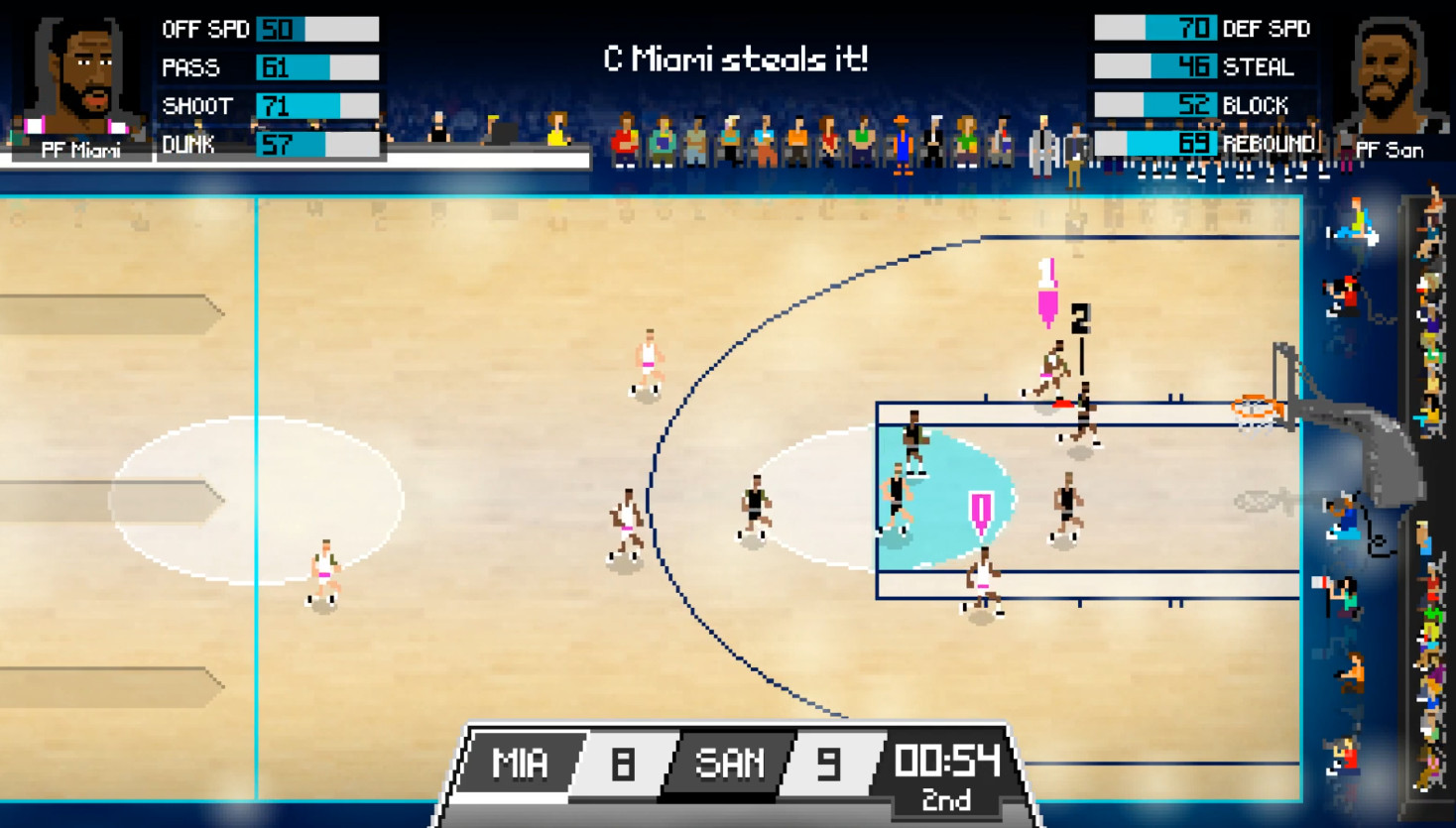
Basketball Classics is an indie game developed by Namo Gamo and published by by Acclaim, Inc released in 2019. 5 on 5 Pro Basketball born from the golden era of sports games. This spiritual successor to the 8-bit ballers bridges the gap between retro and today’s simulation games. Side-scrolling, sweaty arcade action with simplified 3-button gameplay and retro vibes galore.

Laptop Requirements for Basketball Classics

The system requirements are lightweight; nearly any new laptop will work for running Basketball Classics.

Any modern laptop covers the RAM requirement of 4gb.

Windows System Requirements

Minimum:
  • Operating System: Windows 7+
  • Processor: Intel Dual-Core 2.4GHz+, AMD equivalent
  • Memory (RAM): 4 GB RAM
  • Graphics Processing Unit: NVIDIA GeForce GT 330M 512MB+
  • Storage space: 500 MB available space

Recommended Windows Laptops for Basketball Classics

These laptops meet the system requirements stated by the developer. Macbooks with M1 or M2 CPU may require Rosetta 2 to run the game.


16″
HP OmniBook 3 16″
HP OmniBook 3 16″
D5AU3UAABA
Popular2026 modelTrusted brand16 GB RAMThinTouchscreen
$901.49
13″
Microsoft Surface Pro 2-in-1 /Tablet 13″
ZHY-00042
2025 model16 GB RAMThin2-in-1 laptopTouchscreenLightweight
$1,499.99
$1,199.99
13″
Microsoft Surface Pro 2-in-1 /Tablet 13″
ZIB-00018
2025 model16 GB RAM2-in-1 laptopTouchscreen
$1,699.99
13″
Microsoft Surface Pro 2-in-1 /Tablet 13″
ZID-00001
2025 model32 GB RAMThin2-in-1 laptopTouchscreen
$2,479.00
17″
HP OmniBook 3 17″
HP OmniBook 3 17″
OmniBook
Popular2026 modelTrusted brand16 GB RAMThinTouchscreen
$888.99
ACEMAGIC Mini
ACEMAGIC Mini
M5
2026 model16 GB RAMLightweightAMD CPUHigh resolution
$679.99
$611.99
13″
ASUS ROG Flow Z13
ASUS ROG Flow Z13
Runs 80% of new games on recommended 8060S GPU2026 model64 GB RAMThin2-in-1 laptop
$2,689.95
15″
Dell LDC15250-3883BLK-PUS
Y3VGT
Trusted brand8 GB RAMThinIPS screenBudget choice
$469.97
17″
HP OmniBook 3 17″
HP OmniBook 3 17″
D5SQ3UAABA
2026 modelTrusted brand8 GB RAMThinAMD CPUIPS screen
$516.88
16″
Acer Nitro V 16″
Acer Nitro V 16″
Runs 50% of new games on recommended RTX 5050 GPU2026 model32 GB RAMIPS screen
$1,789.99
16″
Acer Nitro V 16″
Acer Nitro V 16″
Runs 70% of new games on recommended RTX 5060 GPU2026 model32 GB RAMIPS screen
$2,059.95
16″
Acer Nitro V 16″
Acer Nitro V 16″
Runs 70% of new games on recommended RTX 5060 GPU2026 model32 GB RAMIPS screen
$1,919.95
Filter with Laptop Finder

Mac System Requirements

Minimum:
  • Operating System: Mac OS X 10.9+
  • Processor: Intel Dual-Core 2.4GHz+, AMD equivalent
  • Memory (RAM): 4 GB RAM
  • Graphics Processing Unit: NVIDIA GeForce GT 330M 512MB+
  • Storage space: 500 MB available space

Recommended Macbooks for Basketball Classics

These laptops meet the system requirements stated by the developer. Macbooks with M1 or M2 CPU may require Rosetta 2 to run the game.

16″
Apple MacBook Pro 16” (2021)
MK193LL/A
Trusted brand16 GB RAMThinHigh resolution
$2,699.00
16″
Apple MacBook Pro 16” (2021)
Trusted brand16 GB RAMThinHigh resolution
$2,499.00
14″
Apple MacBook Pro 14” (2021)
MKGT3LL/A
Trusted brand16 GB RAMThinHigh resolution
$2,499.00
Filter with Laptop Finder
These recommendations are based on technical details and requirements. We can't guarantee that the game will run on every laptop.