Find the best laptops for Behind the Frame: The Finest Scenery

Best Laptops for Behind the Frame: The Finest Scenery

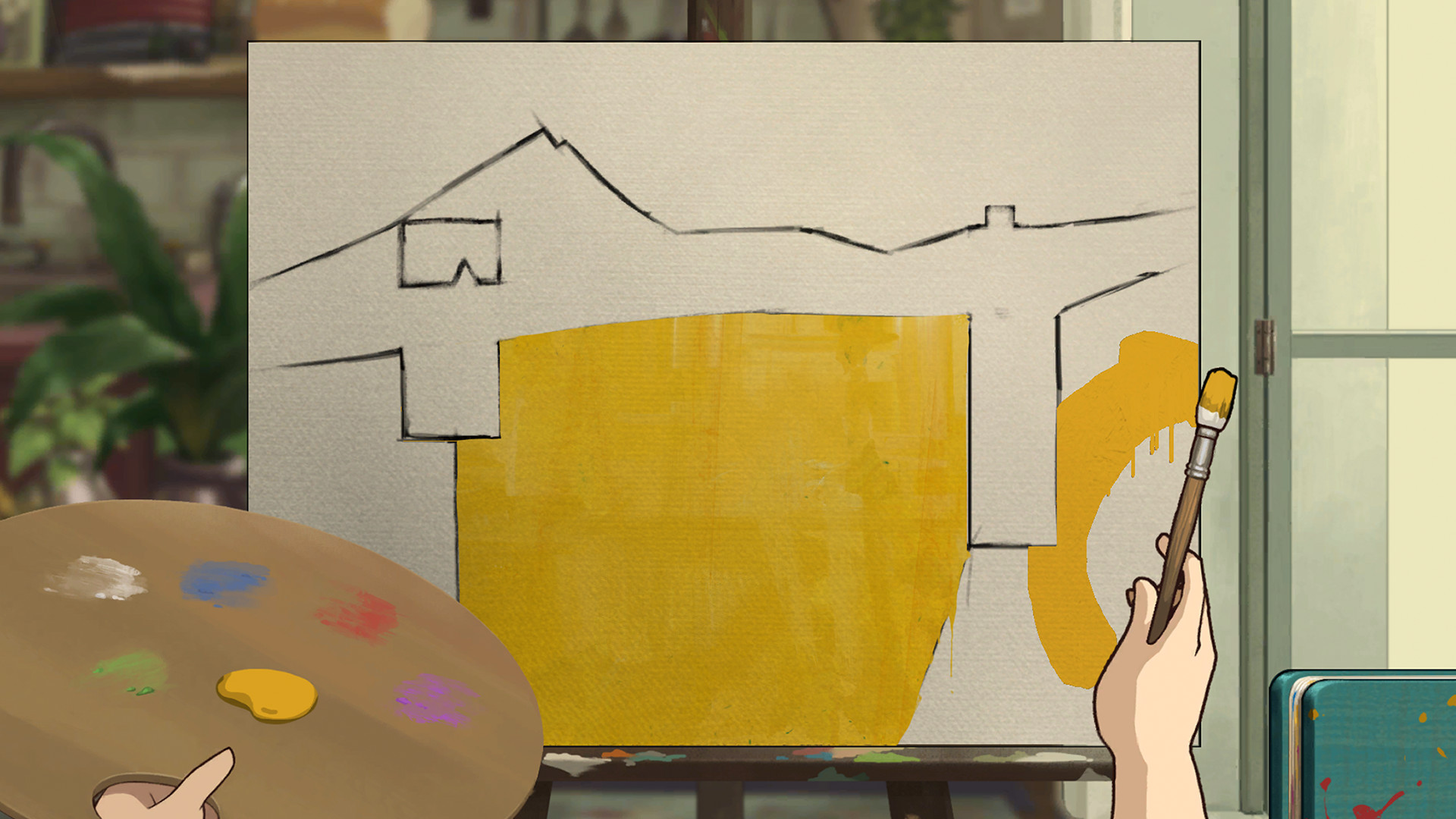
Behind the Frame: The Finest Scenery is an indie adventure game developed by Silver Lining Studio and published by by Akupara Games and Akatsuki Taiwan Inc released in 2021. Guide brush strokes and solve a variety of puzzles to help an aspiring artist complete her masterpiece amid her brusque neighbor’s gaze and his pesky cat. As her painting starts to take shape, uncover an emotional tale of chance and artistry revealed behind unrelated yet familiar moments.

Laptop Requirements for Behind the Frame: The Finest Scenery

The system requirements are modest, but its advised to have a dedicated graphics processing unit for successfully playing Behind the Frame: The Finest Scenery. GeForce GTX 1650 or better mobile GPU is necessary.

8gb RAM requirement is easily covered, though 4gb is enough to just meet minimum.

Windows System Requirements

Minimum:
  • Operating System: Windows 10
  • Processor: 4th Gen i5/1st Gen Ryzen
  • Memory (RAM): 4 GB RAM
  • Graphics Processing Unit: GeForce 7 Series/Radeon R7 Series
  • Storage space: 3 GB available space
Recommended:
  • Operating System: Windows 10
  • Processor: 6th Gen i5/2nd Gen Ryzen (or better)
  • Memory (RAM): 8 GB RAM
  • Graphics Processing Unit: GeForce 9 Series/Radeon R9 Series (or better)
  • Storage space: 3 GB available space

Best Windows Laptops for Behind the Frame: The Finest Scenery

These laptops meet the recommended system requirements and let you enjoy the game on high graphics settings without lag and stutter.


13″
ASUS ROG Flow Z13
ASUS ROG Flow Z13
Runs 80% of new games on recommended 8060S GPU2026 model64 GB RAMThin2-in-1 laptop
$2,689.95
16″
Acer Nitro V 16″
Acer Nitro V 16″
Runs 50% of new games on recommended RTX 5050 GPU2026 model32 GB RAMIPS screen
$1,789.99
16″
Acer Nitro V 16″
Acer Nitro V 16″
Runs 70% of new games on recommended RTX 5060 GPU2026 model32 GB RAMIPS screen
$2,059.95
16″
Acer Nitro V 16″
Acer Nitro V 16″
Runs 70% of new games on recommended RTX 5060 GPU2026 model32 GB RAMIPS screen
$1,919.95
16″
ASUS ROG Strix G16
ASUS ROG Strix G16
Runs 70% of new games on recommended RTX 5060 GPU2026 model16 GB RAMi7 CPU
$1,729.62
16″
ASUS ROG Strix G16
ASUS ROG Strix G16
G615JMR-AS74
Runs 70% of new games on recommended RTX 5060 GPU2025 model16 GB RAMi7 CPU
$1,629.63
16″
Lenovo IdeaPad 5 2-in-1 16″
2026 modelTrusted brand16 GB RAMThin2-in-1 laptopAMD CPU
$1,039.95
15″
MSI Cyborg 15
MSI Cyborg 15
B2295
Runs 70% of new games on recommended RTX 5060 GPU16 GB RAM
$1,199.00
17″
MSI Cyborg 17
MSI Cyborg 17
B2074
Runs 70% of new games on recommended RTX 5060 GPU2025 model16 GB RAM
$1,556.00
15″
Lenovo IdeaPad 15″
Lenovo IdeaPad 15″
2026 modelTrusted brand16 GB RAMThinTouchscreenAMD CPU
$999.90
15″
Lenovo IdeaPad 15″
Lenovo IdeaPad 15″
2026 modelTrusted brand16 GB RAMThinTouchscreenAMD CPU
$1,099.95
15″
MSI Katana 15 HX
MSI Katana 15 HX
KAT15HXB14810
Runs 70% of new games on recommended RTX 5060 GPU2025 model16 GB RAMi7 CPUHigh resolution
$1,568.00
Filter with Laptop Finder

Budget Windows Laptops for Behind the Frame: The Finest Scenery

These cheaper options meet the minimum system requirements stated by the developer. You may need to lower the graphics settings or the in-game resolution to run the game smoothly.

16″
HP OmniBook 3 16″
HP OmniBook 3 16″
D5AU3UAABA
Popular2026 modelTrusted brand16 GB RAMThinTouchscreen
$901.49
17″
HP OmniBook 3 17″
HP OmniBook 3 17″
OmniBook
Popular2026 modelTrusted brand16 GB RAMThinTouchscreen
$888.99
ACEMAGIC Mini
ACEMAGIC Mini
M5
2026 model16 GB RAMLightweightAMD CPUHigh resolution
$679.99
$611.99
17″
HP OmniBook 3 17″
HP OmniBook 3 17″
D5SQ3UAABA
2026 modelTrusted brand8 GB RAMThinAMD CPUIPS screen
$516.88
13″
MSI Summit E13 Flip Evo
SUME1313243
Runs 70% of new games on recommended16 GB RAMThinLightweight120hz screeni7 CPU
$999.99
$647.99
16″
Lenovo Ideapad 5 2-in-1 16″
83DS0056US
2026 modelTrusted brand16 GB RAM2-in-1 laptopTouchscreenAMD CPU
$959.00
Filter with Laptop Finder

Mac System Requirements

Recommended:
  • Operating System: OS X 10.15
  • Processor: Intel Core i7
  • Memory (RAM): 8 GB RAM
  • Graphics Processing Unit: 4GB RAM, OpenGL 4.5
  • Storage space: 2 GB available space

Recommended Macbooks for Behind the Frame: The Finest Scenery

These laptops meet the system requirements stated by the developer. Macbooks with M1 or M2 CPU may require Rosetta 2 to run the game.
16″
Apple MacBook Pro 16” (2021)
MK193LL/A
Trusted brand16 GB RAMThinHigh resolution
$2,699.00
16″
Apple MacBook Pro 16” (2021)
Trusted brand16 GB RAMThinHigh resolution
$2,499.00
16″
Apple MacBook Pro 16” (2021)
MK1F3LL/A
Trusted brand16 GB RAMThinHigh resolution
$2,699.00
$2,492.51
Filter with Laptop Finder
These recommendations are based on technical details and requirements. We can't guarantee that the game will run on every laptop.