

Best Laptops for Bit Buddy
Bit Buddy is a game developed and published by by Salt Fish Studio released on November 18, 2025. Bit Buddy reacts to your keyboard, mouse, and even your voice in real time. Collect decorations as you use your computer, customize your workspace, explore over 3,000 community-made buddies and decorations through Steam Workshop, or create and share your own.
Laptop Requirements for Bit Buddy
The app is very undemanding to run; every new laptop can run Bit Buddy.
Any modern laptop covers the RAM requirement of 0.2gb.
Windows System Requirements
Minimum:
- Operating System: Windows 7/8/10/11 (64-bit)
- Processor: Dual-core CPU (Intel/AMD, 2.0 GHz)
- Memory (RAM): 200 MB RAM
- Graphics Processing Unit: OpenGL 3.3 compatible GPU
- Storage space: 200 MB available space
Recommended Windows Laptops for Bit Buddy
These laptops meet the system requirements stated by the developer. Macbooks with M1 or M2 CPU may require Rosetta 2 to run the game.
13″
Microsoft Surface Pro 13″
EP2-66386
Popular2026 model16 GB RAM2-in-1 laptopTouchscreen
13″
Microsoft Surface Pro 13″
EP2-73301
Popular2026 model16 GB RAM2-in-1 laptopTouchscreen
13″
Microsoft Surface Pro 13″
EP2-65033
2026 model16 GB RAM2-in-1 laptopTouchscreen120hz screenHigh resolution
16″
Lenovo Yoga 7i 2-in-1 16″
83DL
Popular2025 modelTrusted brand16 GB RAMThin2-in-1 laptop
16″
Lenovo Yoga 7i 2-in-1 16″
83DL
Popular2025 modelTrusted brand16 GB RAMThin2-in-1 laptop
16″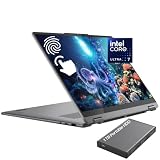
Lenovo Yoga 7i 2-in-1 16″
83JT
2026 modelTrusted brand16 GB RAMThin2-in-1 laptopTouchscreen
15″
Dell Inspiron 15″
Popular2026 modelTrusted brand16 GB RAMTouchscreeni7 CPU
15″
Dell Inspiron 15″
Popular2026 modelTrusted brand16 GB RAMTouchscreenAMD CPU
15″
Dell LDC15250-3883BLK-PUS
Y3VGT
Trusted brand8 GB RAMThinIPS screenBudget choice
16″
Acer Nitro V 16″
Runs 80% of new games on recommended RTX 5060 GPU2026 model32 GB RAMIPS screen
16″
Acer Nitro V 16″
Runs 80% of new games on recommended RTX 5060 GPU2026 model32 GB RAMIPS screen
16″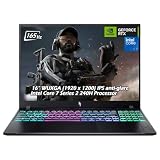
Acer Nitro V 16″
Runs 50% of new games on recommended RTX 5050 GPU2026 model32 GB RAMIPS screen
Mac System Requirements
Minimum:
- Operating System: MacOS x86_64 10.12 / MacOS arm64 11.00
- Processor: Intel Core i3 / Apple M1
- Memory (RAM): 600 MB RAM
- Graphics Processing Unit: Intel HD Graphics 5000 / Apple M1 GPU
- Storage space: 300 MB available space
Recommended Macbooks for Bit Buddy
These laptops meet the system requirements stated by the developer. Macbooks with M1 or M2 CPU may require Rosetta 2 to run the game.
15″
Apple MacBook Pro 15” (2018)
MR962LL/A
Trusted brand16 GB RAMThini7 CPUHigh resolution
14″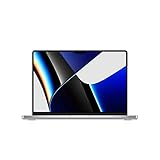
Apple MacBook Pro 14” (2021)
MKGT3LL/A
Trusted brand16 GB RAMThinHigh resolution
15″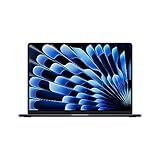
Apple MacBook Air 15″
Z18T0LL/A
Trusted brand16 GB RAMThinHigh resolution

These recommendations are based on technical details and requirements. We can't guarantee that the game will run on every laptop.
Check Other Games
Updated November 5, 2026