
Best Laptops for Bunny Hill
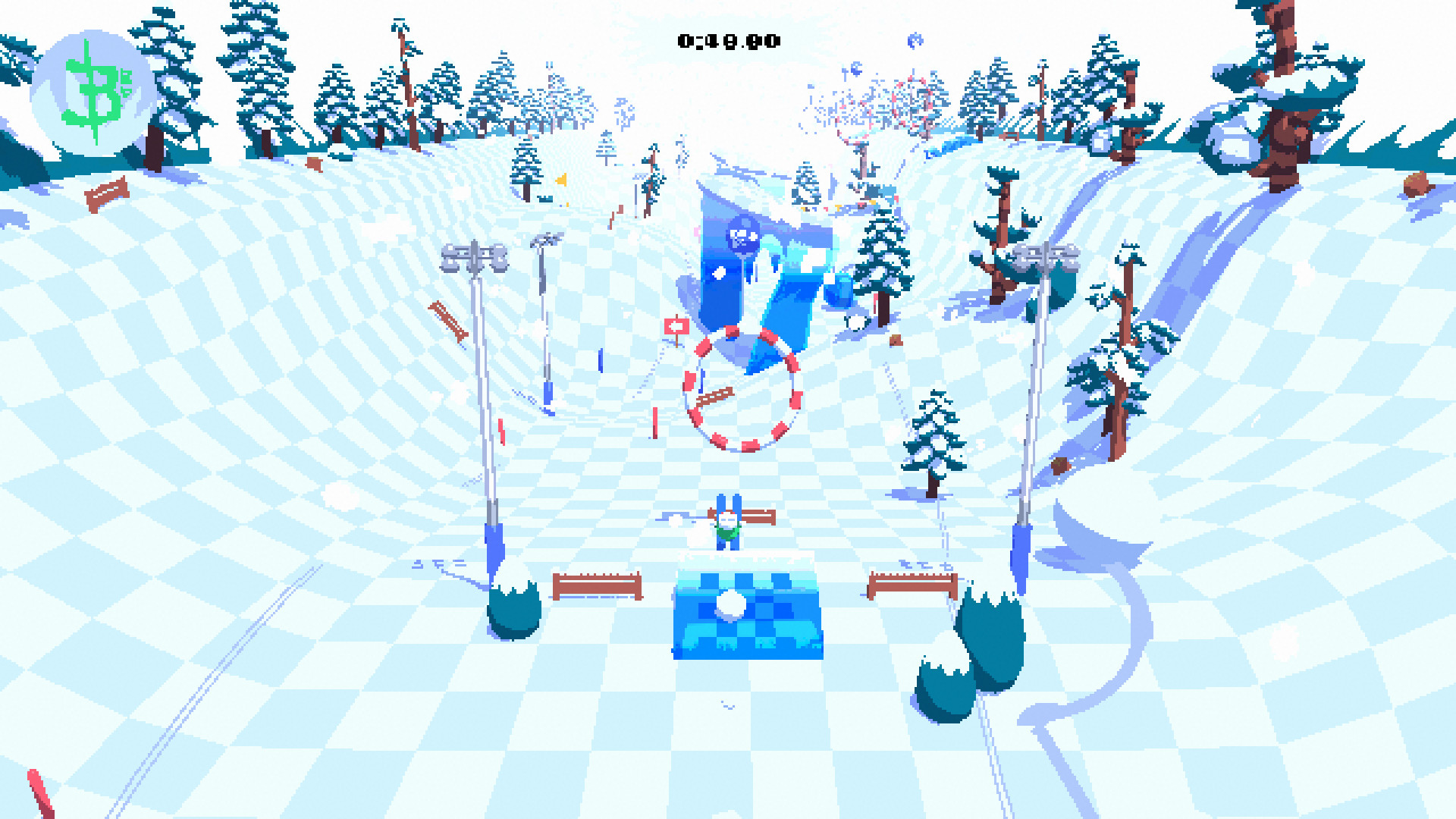
Bunny Hill is an indie game developed by DogmaQuest and Brendan Roarty launched in 2020. Carve the slopes of the Bunny Hill on your skis in this fast paced physics racing game. With up to 8 player Online Multiplayer, dodge bushes and tag flags on randomly generated maps to reach infinite scaling speed with your friends.
Laptop Requirements for Bunny Hill
The system requirements are lightweight; nearly every new laptop will work for playing Bunny Hill.
Any modern laptop covers the RAM requirement of 2gb.
Windows System Requirements
Minimum:
- Operating System: Windows 7
- Processor: Intel or AMD Dual Core at 2.4 GHz or better
- Memory (RAM): 2 GB RAM
- Graphics Processing Unit: Intel Graphics 4400 or better
- Storage space: 300 MB available space
Recommended Windows Laptops for Bunny Hill
These laptops meet the system requirements stated by the developer. Macbooks with M1 or M2 CPU may require Rosetta 2 to run the game.
16″
Lenovo Yoga 7i 2-in-1 16″
83JT
2026 modelTrusted brand16 GB RAMThin2-in-1 laptopTouchscreen
16″
Lenovo Yoga 7i 2-in-1 16″
83JT
2026 modelTrusted brand16 GB RAMThin2-in-1 laptopTouchscreen
16″
Lenovo Yoga 7i 2-in-1 16″
83JT
2026 modelTrusted brand16 GB RAMThin2-in-1 laptopTouchscreen
16″
Acer Nitro V 16″
Runs 80% of new games on recommended RTX 5060 GPU2026 model32 GB RAMIPS screen
16″
Acer Nitro V 16″
Runs 80% of new games on recommended RTX 5060 GPU2026 model32 GB RAMIPS screen
16″
Acer Nitro V 16″
Runs 50% of new games on recommended RTX 5050 GPU2026 model32 GB RAMIPS screen
13″
Microsoft Surface Pro 2-in-1 /Tablet 13″
ZIB-00018
2025 model16 GB RAM2-in-1 laptopTouchscreen
13″
Microsoft Surface Pro 2-in-1 /Tablet 13″
ZIB-00035
2025 model16 GB RAM2-in-1 laptopTouchscreen
13″
Microsoft Surface Pro 2-in-1 /Tablet 13″
ZIB-00041
2025 model16 GB RAM2-in-1 laptopTouchscreen
13″
ASUS ROG Flow Z13
Runs 80% of new games on recommended 8060S GPU2026 model64 GB RAMThin2-in-1 laptop
16″
ASUS ROG Strix G16
G615JMR-AS74
Runs 80% of new games on recommended RTX 5060 GPU2025 model16 GB RAMi7 CPU
16″
ASUS ROG Strix G16
Runs 80% of new games on recommended RTX 5060 GPU2026 model16 GB RAMi7 CPU
Mac System Requirements
Minimum:
- Operating System: macOS 10.12+
- Processor: Intel or AMD Dual Core at 2.4 GHz or better
- Memory (RAM): 2 GB RAM
- Graphics Processing Unit: Intel Graphics 4400 or better
- Storage space: 300 MB available space
Recommended Macbooks for Bunny Hill
These laptops meet the system requirements stated by the developer. Macbooks with M1 or M2 CPU may require Rosetta 2 to run the game.
15″
Apple MacBook Pro 15” (2018)
MR962LL/A
Trusted brand16 GB RAMThini7 CPUHigh resolution
14″
Apple MacBook Pro 14” (2021)
MKGT3LL/A
Trusted brand16 GB RAMThinHigh resolution
15″
Apple MacBook Air 15″
Z18T0LL/A
Trusted brand16 GB RAMThinHigh resolution

These recommendations are based on technical details and requirements. We can't guarantee that the game will run on every laptop.
Check Other Games
Updated November 5, 2026