Find the best laptops for Construction Simulator 2015

Best Laptops for Construction Simulator 2015

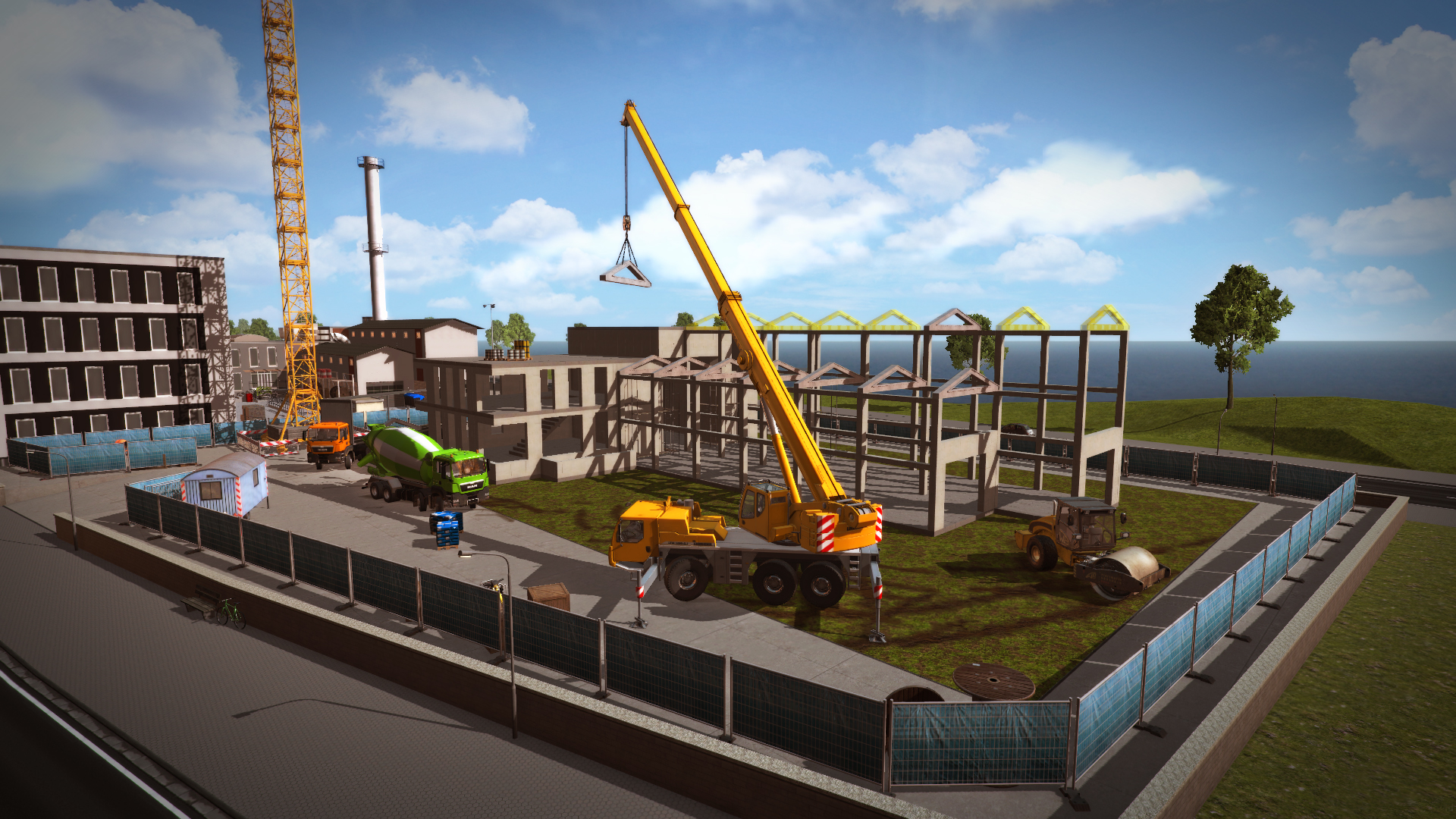
Construction Simulator 2015 is a simulation game produced by weltenbauer. Software Entwicklung GmbH and released by by astragon Entertainment released in 2014. In Construction Simulator 2015, you take the controls of 16 realistic construction machines made by LIEBHERR, STILL and MAN with high-quality 3D graphics.

Laptop Requirements for Construction Simulator 2015

The system requirements are light, but its advised to have a dedicated graphics processing unit for successfully playing Construction Simulator 2015. GeForce MX550 or better mobile GPU is needed.

All recent laptop meets the RAM requirement of 4gb.

Windows System Requirements

Minimum:
  • Operating System: Windows Vista/7/8
  • Processor: Dual-Core Processor with 2.4 GHz
  • Memory (RAM): 4 GB RAM
  • Graphics Processing Unit: DirectX 9 compatible graphics card with 1 GB VRAM (Geforce 460 or better | ATI Radeon HD 57xx or better)
  • Storage space: 4500 MB available space
Recommended:
  • Operating System: Windows Vista/7/8
  • Processor: Dual or Quad-Core Processor with 3 GHz or better recommended
  • Memory (RAM): 4 GB RAM
  • Graphics Processing Unit: DirectX 9 compatible graphics card with 2 GB+ RAM (Geforce GTX 660 or better | ATI Radeon HD 68xx, 77xx or better)
  • Storage space: 4500 MB available space

Best Windows Laptops for Construction Simulator 2015

These laptops meet the recommended system requirements and let you enjoy the game on high graphics settings without lag and stutter.

16″
Lenovo Yoga 7i 2-in-1 16″
83JT
2026 modelTrusted brand16 GB RAMThin2-in-1 laptopTouchscreen
$1,069.00
16″
Lenovo Yoga 7i 2-in-1 16″
83JT
2026 modelTrusted brand16 GB RAMThin2-in-1 laptopTouchscreen
$1,369.00
16″
Lenovo Yoga 7i 2-in-1 16″
83JT
2026 modelTrusted brand16 GB RAMThin2-in-1 laptopTouchscreen
$1,169.00
ACEMAGIC Mini
ACEMAGIC Mini
M5
Popular2026 model16 GB RAMLightweightAMD CPUHigh resolution
$679.99
$611.99
13″
ASUS ROG Flow Z13
ASUS ROG Flow Z13
Runs 80% of new games on recommended 8060S GPU2026 model64 GB RAMThin2-in-1 laptop
$2,689.95
16″
Acer Nitro V 16″
Acer Nitro V 16″
Runs 50% of new games on recommended RTX 5050 GPU2026 model32 GB RAMIPS screen
$1,789.99
16″
Acer Nitro V 16″
Acer Nitro V 16″
Runs 80% of new games on recommended RTX 5060 GPU2026 model32 GB RAMIPS screen
$2,059.95
16″
Acer Nitro V 16″
Acer Nitro V 16″
Runs 80% of new games on recommended RTX 5060 GPU2026 model32 GB RAMIPS screen
$1,919.95
14″
HP OmniBook 14″
HP OmniBook 14″
14-fm
2026 modelTrusted brand16 GB RAMThin2-in-1 laptopTouchscreen
$911.98
14″
HP OmniBook 14″
HP OmniBook 14″
14-fm
2026 modelTrusted brand16 GB RAMThin2-in-1 laptopTouchscreen
$929.99
16″
HP OmniBook 7 Flip 16″
OmniBook
2025 modelTrusted brand32 GB RAMThin2-in-1 laptopTouchscreen
$1,399.99
16″
ASUS ROG Strix G16
ASUS ROG Strix G16
Runs 80% of new games on recommended RTX 5060 GPU2026 model16 GB RAMi7 CPU
$1,729.62
Filter with Laptop Finder

Budget Windows Laptops for Construction Simulator 2015

These cheaper options meet the minimum system requirements stated by the developer. You may need to lower the graphics settings or the in-game resolution to run the game smoothly.

17″
HP OmniBook 3 17″
HP OmniBook 3 17″
D5SQ3UAABA
2026 modelTrusted brand8 GB RAMThinAMD CPUIPS screen
$516.88
16″
HP OmniBook 3 16″
HP OmniBook 3 16″
D57E9UAABA
2026 modelTrusted brand8 GB RAMThinTouchscreenAMD CPU
$591.41
15″
Lenovo V15
Lenovo V15
V
2026 modelTrusted brand8 GB RAMAMD CPU
$599.99
16″
HP OmniBook 3 16″
HP OmniBook 3 16″
OmniBook
2026 modelTrusted brand8 GB RAMThinTouchscreenAMD CPU
$499.00
15″
Acer Aspire 3 15″
Acer Aspire 3 15″
82C7008KMH
2026 model16 GB RAMThinTouchscreenAMD CPUIPS screen
$699.99
$589.97
15″
MALLRACE LX15PRO
MALLRACE LX15PRO
2026 model24 GB RAMThini5 CPU
$989.99
$589.99
Filter with Laptop Finder

Mac System Requirements

Recommended:
  • Operating System: Mac OS X 10.8
  • Processor: Intel Core i5 or i7 Processor
  • Memory (RAM): 4 GB RAM
  • Graphics Processing Unit: NVIDIA GeForce GTX 750M
  • Storage space: 4500 MB available space

Recommended Macbooks for Construction Simulator 2015

These laptops meet the system requirements stated by the developer. Macbooks with M1 or M2 CPU may require Rosetta 2 to run the game.

16″
Apple MacBook Pro 16” (2021)
MK1F3LL/A
Trusted brand16 GB RAMThinHigh resolution
$2,699.00
$2,492.51
16″
Apple MacBook Pro 16” (2021)
MK193LL/A
Trusted brand16 GB RAMThinHigh resolution
$2,699.00
16″
Apple MacBook Pro 16” (2021)
Trusted brand16 GB RAMThinHigh resolution
$2,499.00
Filter with Laptop Finder
These recommendations are based on technical details and requirements. We can't guarantee that the game will run on every laptop.