Find the best laptops for Corpse Party 2: Dead Patient

Best Laptops for Corpse Party 2: Dead Patient

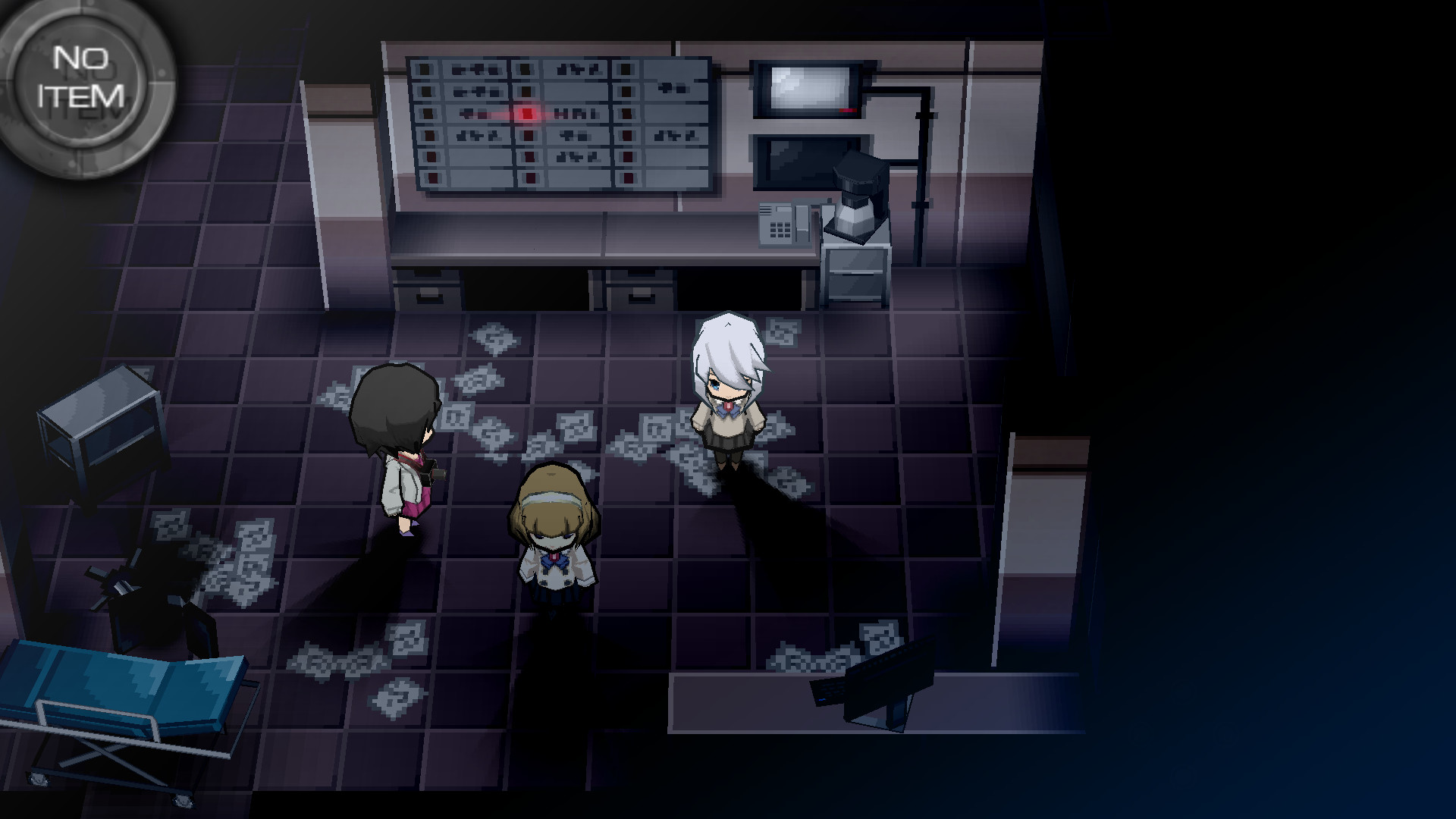
Corpse Party 2: Dead Patient is an indie role-playing game produced by GrisGris and released by by XSEED Games and Marvelous USA, Inc released in 2019. High-schooler Ayame awakens from a coma in a seemingly abandoned hospital, strapped to an operating table. It turns out she’s not as alone as she thought, but she’ll come to wish she were. Step into the latest episodic installment in the Corpse Party saga, and try your best to survive treatment...

Laptop Requirements for Corpse Party 2: Dead Patient

The system requirements are moderate, and its preferred to have a gaming laptop with an up-to-date graphics processing unit for successfully playing Corpse Party 2: Dead Patient. GeForce MX570 or better mobile GPU is needed.

The RAM requirement of 8gb is easily met, though 4gb is enough to hit the baseline.

Windows System Requirements

Minimum:
  • Operating System: Windows 7 or later
  • Processor: AMD FX(tm)-6300
  • Memory (RAM): 4 GB RAM
  • Graphics Processing Unit: Radeon RX 550 / GeForce GTX750Ti
  • Storage space: 3 GB available space
Recommended:
  • Operating System: Windows 7 or later
  • Processor: Intel(R) Core(TM) i5-6400
  • Memory (RAM): 8 GB RAM
  • Graphics Processing Unit: Radeon R9 270 / GeForce GTX 950
  • Storage space: 3 GB available space

Best Windows Laptops for Corpse Party 2: Dead Patient

These laptops meet the recommended system requirements and let you enjoy the game on high graphics settings without lag and stutter.

ACEMAGIC Mini
ACEMAGIC Mini
M5
Popular2026 model16 GB RAMLightweightAMD CPUHigh resolution
$679.99
$611.99
13″
ASUS ROG Flow Z13
ASUS ROG Flow Z13
Runs 80% of new games on recommended 8060S GPU2026 model64 GB RAMThin2-in-1 laptop
$2,689.95
16″
Acer Nitro V 16″
Acer Nitro V 16″
Runs 50% of new games on recommended RTX 5050 GPU2026 model32 GB RAMIPS screen
$1,789.99
16″
Acer Nitro V 16″
Acer Nitro V 16″
Runs 80% of new games on recommended RTX 5060 GPU2026 model32 GB RAMIPS screen
$2,059.95
16″
Acer Nitro V 16″
Acer Nitro V 16″
Runs 80% of new games on recommended RTX 5060 GPU2026 model32 GB RAMIPS screen
$1,919.95
16″
Lenovo IdeaPad 5 2-in-1 16″
2026 modelTrusted brand16 GB RAMThin2-in-1 laptopAMD CPU
$1,039.95
16″
ASUS ROG Strix G16
ASUS ROG Strix G16
Runs 80% of new games on recommended RTX 5060 GPU2026 model16 GB RAMi7 CPU
$1,729.62
16″
ASUS ROG Strix G16
ASUS ROG Strix G16
G615JMR-AS74
Runs 80% of new games on recommended RTX 5060 GPU2025 model16 GB RAMi7 CPU
$1,619.85
15″
MSI Cyborg 15
MSI Cyborg 15
B2295
Runs 80% of new games on recommended RTX 5060 GPU16 GB RAM
$1,199.00
17″
MSI Cyborg 17
MSI Cyborg 17
B2074
Runs 80% of new games on recommended RTX 5060 GPU2025 model16 GB RAM
$1,556.00
15″
Lenovo IdeaPad 15″
Lenovo IdeaPad 15″
2026 modelTrusted brand16 GB RAMThinTouchscreenAMD CPU
$999.90
15″
Lenovo IdeaPad 15″
Lenovo IdeaPad 15″
2026 modelTrusted brand16 GB RAMThinTouchscreenAMD CPU
$1,099.95
Filter with Laptop Finder

Budget Windows Laptops for Corpse Party 2: Dead Patient

These cheaper options meet the minimum system requirements stated by the developer. You may need to lower the graphics settings or the in-game resolution to run the game smoothly.

15″
NIMO N159
NIMO N159
ARN21S
2026 model8 GB RAMThinAMD CPUSD card reader
$829.99
$599.99
15″
NIMO N159
NIMO N159
ARN21S
2026 model8 GB RAMThinAMD CPUIPS screen
$529.99
15″
NIMO N159
NIMO N159
ARN21S
2026 model8 GB RAMThinAMD CPUIPS screen
$529.99
15″
Dell G3 Gaming 15″
Dell G3 Gaming 15″
I3590-5988BLK-PUS
Runs 80% of new games on minimum GTX 1660 Ti GPU8 GB RAMi5 CPU
$529.21
15″
Acer AG15-21
Acer AG15-21
NX.JJGA
2026 model8 GB RAMAMD CPUIPS screenBudget choice
$449.00
17″
HP 17-CP20
HP 17-CP20
B4GX
2026 modelTrusted brand8 GB RAMAMD CPUIPS screen
$589.99
Filter with Laptop Finder
These recommendations are based on technical details and requirements. We can't guarantee that the game will run on every laptop.