
Best Laptops for Desktop Explorer
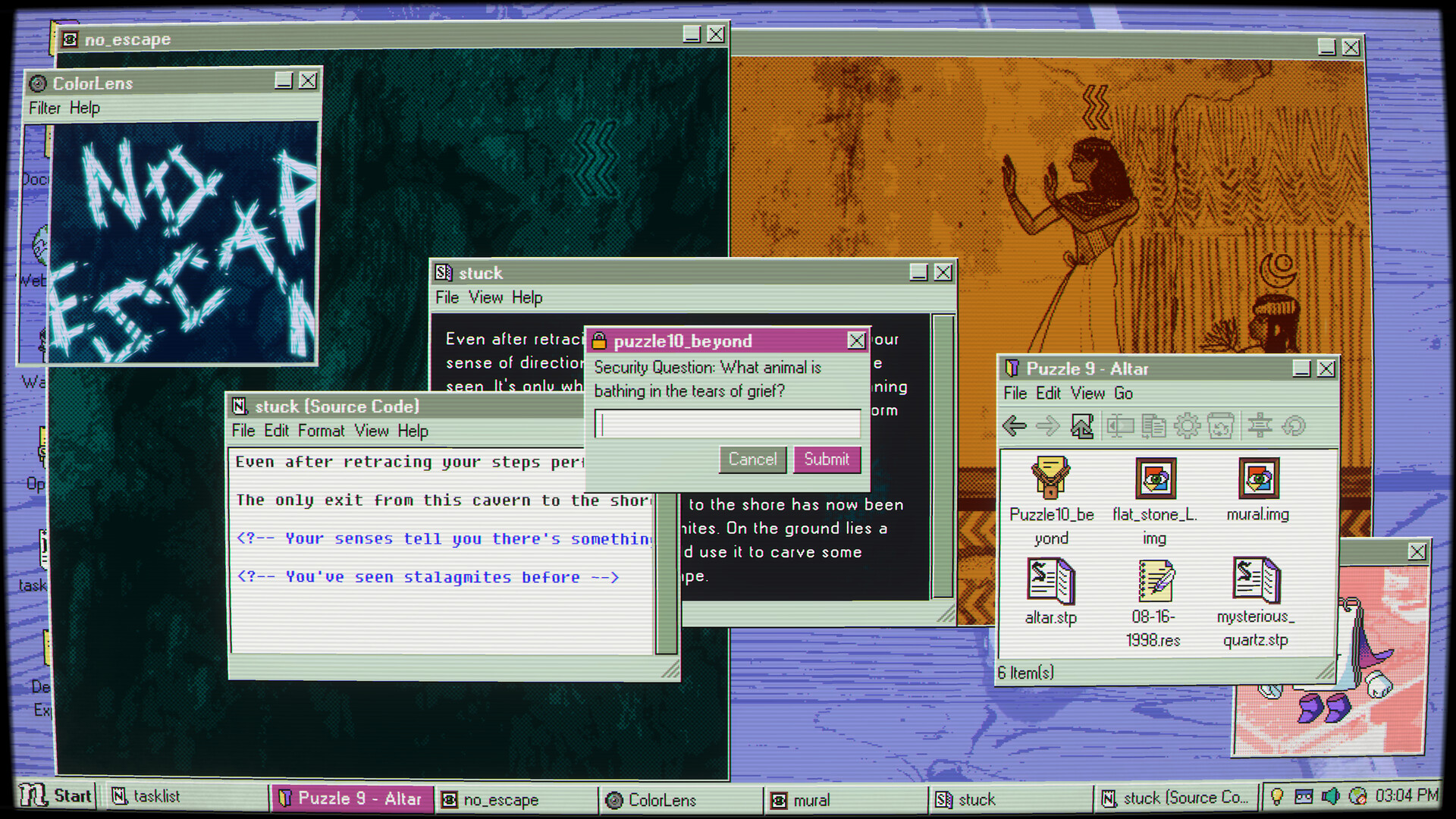
Desktop Explorer is an indie game developed by Recurring Dream released on July 17, 2026. Rummage through the abandoned profiles of an old PC to unravel an inherited mystery. What secrets hide in this eerie adventure of cryptic games and outdated software? Who was using this computer? And what happened to them?
Laptop Requirements for Desktop Explorer
The system requirements are light; virtually any new laptop will work for running Desktop Explorer.
Every new laptop covers the RAM requirement of 2gb.
Windows System Requirements
Minimum:
- Operating System: Windows 7 SP1+ (or later)
- Processor: Intel or AMD Dual Core at 2 GHz or better
- Memory (RAM): 2 GB RAM
- Graphics Processing Unit: Intel Graphics 4400 or better
- Storage space: 400 MB available space
Recommended Windows Laptops for Desktop Explorer
These laptops meet the system requirements stated by the developer. Macbooks with M1 or M2 CPU may require Rosetta 2 to run the game.
16″
Lenovo Yoga 7i 2-in-1 16″
83JT
2026 modelTrusted brand16 GB RAMThin2-in-1 laptopTouchscreen
16″
Lenovo Yoga 7i 2-in-1 16″
83JT
2026 modelTrusted brand16 GB RAMThin2-in-1 laptopTouchscreen
16″
Lenovo Yoga 7i 2-in-1 16″
83JT
2026 modelTrusted brand16 GB RAMThin2-in-1 laptopTouchscreen
16″
HP OmniBook 3 16″
D5AU3UAABA
Popular2026 modelTrusted brand16 GB RAMThinTouchscreen
13″
Microsoft Surface Pro 2-in-1 /Tablet 13″
ZIB-00018
2025 model16 GB RAM2-in-1 laptopTouchscreen
13″
Microsoft Surface Pro 2-in-1 /Tablet 13″
ZID-00001
2025 model32 GB RAMThin2-in-1 laptopTouchscreen
13″
Microsoft Surface Pro 2-in-1 /Tablet 13″
ZHY-00019
2025 model16 GB RAMThin2-in-1 laptopTouchscreenLightweight

ACEMAGIC Mini
M5
Popular2026 model16 GB RAMLightweightAMD CPUHigh resolution
13″
ASUS ROG Flow Z13
Runs 80% of new games on recommended 8060S GPU2026 model64 GB RAMThin2-in-1 laptop
17″
HP OmniBook 3 17″
D5SQ3UAABA
2026 modelTrusted brand8 GB RAMThinAMD CPUIPS screen
17″
HP OmniBook 3 17″
OmniBook
2026 modelTrusted brand16 GB RAMThinTouchscreeni5 CPU
16″
Acer Nitro V 16″
Runs 50% of new games on recommended RTX 5050 GPU2026 model32 GB RAMIPS screen
Mac System Requirements
Minimum:
- Operating System: macOS 10.12+
- Processor: Intel or AMD Dual Core at 2 GHz or better
- Memory (RAM): 2 GB RAM
- Graphics Processing Unit: Intel Graphics 4400 or better
- Storage space: 400 MB available space
Recommended Macbooks for Desktop Explorer
These laptops meet the system requirements stated by the developer. Macbooks with M1 or M2 CPU may require Rosetta 2 to run the game.
14″
Apple MacBook Pro 14” (2021)
MKGT3LL/A
Trusted brand16 GB RAMThinHigh resolution
16″
Apple MacBook Pro 16” (2021)
MK1F3LL/A
Trusted brand16 GB RAMThinHigh resolution
16″
Apple MacBook Pro 16” (2021)
MK193LL/A
Trusted brand16 GB RAMThinHigh resolution

These recommendations are based on technical details and requirements. We can't guarantee that the game will run on every laptop.
Check Other Games
Updated October 16, 2026