Find the best laptops for Desktopia: A Desktop Village Simulator

Best Laptops for Desktopia: A Desktop Village Simulator

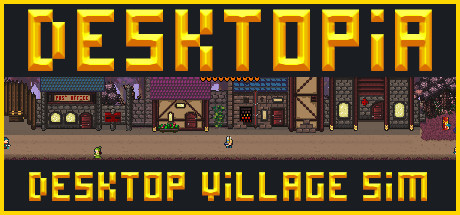
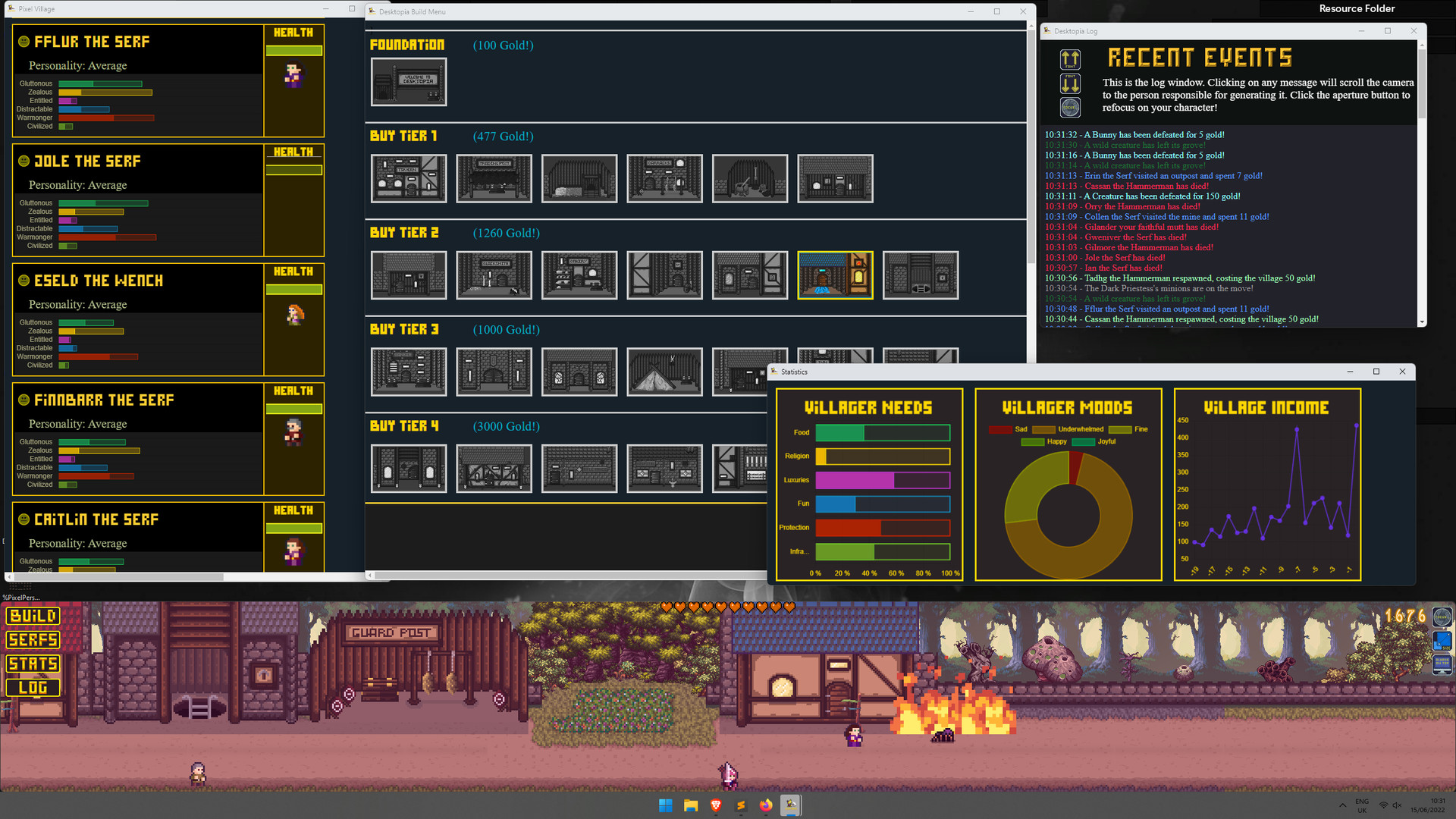
Desktopia: A Desktop Village Simulator is an indie role-playing game created and published by by The Evergloom Team released in 2022. Desktopia is a city-builder game which simulates an evolving, medieval-esque village along the bottom of your desktop, allowing you to work, watch, or browse something else while you play.

Laptop Requirements for Desktopia: A Desktop Village Simulator

The app is very lightweight to run; every new laptop can run Desktopia: A Desktop Village Simulator.

Every new laptop covers the RAM requirement of 2gb.

Windows System Requirements

Minimum:
  • Operating System: Windows 7/8/9/10/11
  • Processor: i5 2500k / Ryzen 5 2600
  • Memory (RAM): 2 GB RAM
  • Graphics Processing Unit: Dedicated Graphics Recommended
  • Storage space: 1 GB available space
Recommended:
  • Operating System: Windows 7/8/9/10/11
  • Graphics Processing Unit: GTX 760 +

Best Windows Laptops for Desktopia: A Desktop Village Simulator

These laptops meet the recommended system requirements and let you enjoy the game on high graphics settings without lag and stutter.

16″
Lenovo Yoga 7i 2-in-1 16″
83JT
2026 modelTrusted brand16 GB RAMThin2-in-1 laptopTouchscreen
$1,069.00
16″
Lenovo Yoga 7i 2-in-1 16″
83JT
2026 modelTrusted brand16 GB RAMThin2-in-1 laptopTouchscreen
$1,369.00
16″
Lenovo Yoga 7i 2-in-1 16″
83JT
2026 modelTrusted brand16 GB RAMThin2-in-1 laptopTouchscreen
$1,169.00
ACEMAGIC Mini
ACEMAGIC Mini
M5
Popular2026 model16 GB RAMLightweightAMD CPUHigh resolution
$679.99
$611.99
13″
ASUS ROG Flow Z13
ASUS ROG Flow Z13
Runs 80% of new games on recommended 8060S GPU2026 model64 GB RAMThin2-in-1 laptop
$2,689.95
16″
Acer Nitro V 16″
Acer Nitro V 16″
Runs 50% of new games on recommended RTX 5050 GPU2026 model32 GB RAMIPS screen
$1,789.99
16″
Acer Nitro V 16″
Acer Nitro V 16″
Runs 80% of new games on recommended RTX 5060 GPU2026 model32 GB RAMIPS screen
$2,059.95
16″
Acer Nitro V 16″
Acer Nitro V 16″
Runs 80% of new games on recommended RTX 5060 GPU2026 model32 GB RAMIPS screen
$1,919.95
16″
HP OmniBook 7 Flip 16″
OmniBook
2025 modelTrusted brand32 GB RAMThin2-in-1 laptopTouchscreen
$1,399.99
16″
HP OmniBook 7 Flip 16″
OmniBook
2025 modelTrusted brand32 GB RAMThin2-in-1 laptopTouchscreen
$1,249.99
16″
ASUS ROG Strix G16
ASUS ROG Strix G16
Runs 80% of new games on recommended RTX 5060 GPU2026 model16 GB RAMi7 CPU
$1,729.62
16″
ASUS ROG Strix G16
ASUS ROG Strix G16
G615JMR-AS74
Runs 80% of new games on recommended RTX 5060 GPU2025 model16 GB RAMi7 CPU
$1,619.85
Filter with Laptop Finder

Budget Windows Laptops for Desktopia: A Desktop Village Simulator

These cheaper options meet the minimum system requirements stated by the developer. You may need to lower the graphics settings or the in-game resolution to run the game smoothly.

15″
Lenovo 16IRH10 15″
Lenovo 16IRH10 15″
2026 modelTrusted brand8 GB RAMThinSD card readerBudget choice
$799.98
$479.99
15″
Lenovo 16IRH10 15″
Lenovo 16IRH10 15″
2026 modelTrusted brand8 GB RAMThinSD card readerBudget choice
$429.99
15″
Lenovo 16IRH10 15″
Lenovo 16IRH10 15″
2026 modelTrusted brand8 GB RAMThinSD card readerBudget choice
$799.99
$429.99
15″
Dell LDC15250-3883BLK-PUS
Y3VGT
Trusted brand8 GB RAMThinIPS screenBudget choice
$469.97
17″
HP OmniBook 3 17″
HP OmniBook 3 17″
D5SQ3UAABA
2026 modelTrusted brand8 GB RAMThinAMD CPUIPS screen
$516.88
15″
MOONFISH UBOOK-03 15″
2026 model16 GB RAMIPS screenBudget choice
$499.99
Filter with Laptop Finder
These recommendations are based on technical details and requirements. We can't guarantee that the game will run on every laptop.