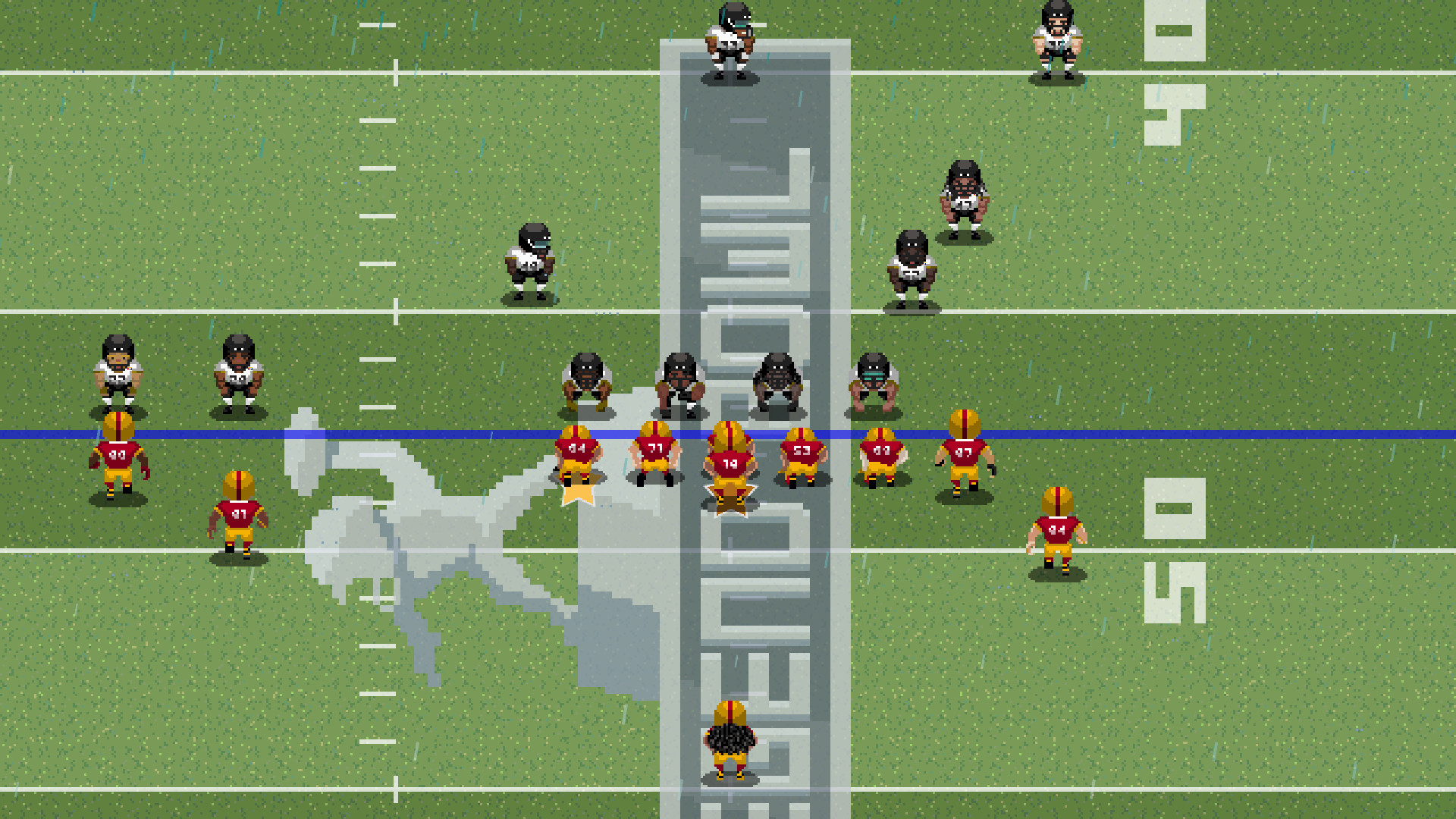
Find the best laptops for Legend Bowl

Best Laptops for Legend Bowl

Legend Bowl is a throwback to the classic 8-bit and 16-bit football games of the past. It's an indie sports game developed and released by by Super Pixel Games released in 2021. Take to the gridiron and fight your way to becoming a football legend. Enjoy sim-style gameplay, realistic weather, detailed stats, franchise mode, tournament mode, fully customizable rosters, and much much more!

Laptop Requirements for Legend Bowl

The system requirements are lightweight; almost any new laptop will work for playing Legend Bowl.

Any modern laptop meets the RAM requirement of 2gb.

Windows System Requirements

Minimum:
  • Operating System: Windows XP (SP3), Windows Vista (SP2), Windows 7, Windows 8, Windows 10
  • Processor: 2.0 GHz Dual Core Processor
  • Memory (RAM): 2 GB RAM
  • Graphics Processing Unit: GeForce 8800 or equivalent
  • Storage space: 500 MB available space

Recommended Windows Laptops for Legend Bowl

These laptops meet the system requirements stated by the developer. Macbooks with M1 or M2 CPU may require Rosetta 2 to run the game.

16″
Lenovo Yoga 7i 2-in-1 16″
83JT
2026 modelTrusted brand16 GB RAMThin2-in-1 laptopTouchscreen
$1,069.00
16″
Lenovo Yoga 7i 2-in-1 16″
83JT
2026 modelTrusted brand16 GB RAMThin2-in-1 laptopTouchscreen
$1,369.00
16″
Lenovo Yoga 7i 2-in-1 16″
83JT
2026 modelTrusted brand16 GB RAMThin2-in-1 laptopTouchscreen
$1,169.00
16″
HP OmniBook 3 16″
HP OmniBook 3 16″
D5AU3UAABA
Popular2026 modelTrusted brand16 GB RAMThinTouchscreen
$901.49
13″
Microsoft Surface Pro 2-in-1 /Tablet 13″
ZIB-00018
2025 model16 GB RAM2-in-1 laptopTouchscreen
$1,699.99
13″
Microsoft Surface Pro 2-in-1 /Tablet 13″
ZID-00001
2025 model32 GB RAMThin2-in-1 laptopTouchscreen
$2,482.13
13″
Microsoft Surface Pro 2-in-1 /Tablet 13″
ZIB-00035
2025 model16 GB RAM2-in-1 laptopTouchscreen
$1,699.99
13″
ASUS ROG Flow Z13
ASUS ROG Flow Z13
Runs 80% of new games on recommended 8060S GPU2026 model64 GB RAMThin2-in-1 laptop
$2,689.95
16″
Acer Nitro V 16″
Acer Nitro V 16″
Runs 50% of new games on recommended RTX 5050 GPU2026 model32 GB RAMIPS screen
$1,789.99
17″
HP OmniBook 3 17″
HP OmniBook 3 17″
D5SQ3UAABA
2026 modelTrusted brand8 GB RAMThinAMD CPUIPS screen
$516.88
17″
HP OmniBook 3 17″
HP OmniBook 3 17″
OmniBook
2026 modelTrusted brand16 GB RAMThinTouchscreeni5 CPU
$888.00
16″
Acer Nitro V 16″
Acer Nitro V 16″
Runs 70% of new games on recommended RTX 5060 GPU2026 model32 GB RAMIPS screen
$2,079.95
Filter with Laptop Finder

Mac System Requirements

Minimum:
  • Operating System: Recent
  • Processor: 2.0 GHz Dual Core Processor
  • Memory (RAM): 2 GB RAM
  • Graphics Processing Unit: GeForce 8800 or equivalent
  • Storage space: 300 MB available space

Recommended Macbooks for Legend Bowl

These laptops meet the system requirements stated by the developer. Macbooks with M1 or M2 CPU may require Rosetta 2 to run the game.

16″
Apple MacBook Pro 16” (2021)
MK193LL/A
Trusted brand16 GB RAMThinHigh resolution
$2,699.00
16″
Apple MacBook Pro 16” (2021)
Trusted brand16 GB RAMThinHigh resolution
$2,499.00
16″
Apple MacBook Pro 16” (2021)
MK1F3LL/A
Trusted brand16 GB RAMThinHigh resolution
$2,699.00
$2,492.51
Filter with Laptop Finder
Legend Bowl technical specifications for laptopDeveloper's websiteLegend Bowl on Steam
Updated on October 18, 2026.
These recommendations are based on technical details and requirements. We can't guarantee that the game will run on every laptop.