Find the best laptops for Red Orchestra: Ostfront 41-45

Best Laptops for Red Orchestra: Ostfront 41-45

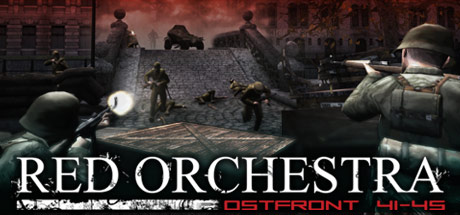
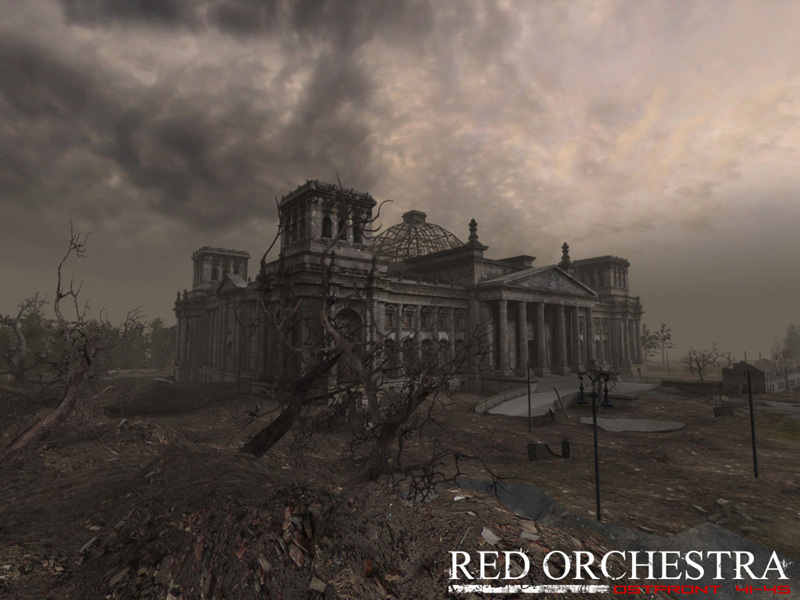
Red Orchestra: Ostfront 41-45 is an action game developed and released by by Tripwire Interactive released in 2006. Fight in the theatre of war that changed the world forever. Battle alongside your compatriots on some of the most inhospitable environments of the Eastern Front in Red Orchestra: Ostfront 41-45. Red Orchestra places you in the most realistic WWII first-person multi-player combat to date on the PC, allowing the player to fight through some of the most intense combat of the war. You can play as infantry, using a wide range of infantry weapons, or crew one of the many armored combat vehicles available in the game, from half-tracks to the most famous German and Soviet heavy tanks. Engage the enemy with everything in your arsenal, from your bayonet at close quarters up to the massive 122mm cannon on the Soviet IS-2. And if that isn't enough, find an officer and a radio to call in thunderous artillery strikes to shake the enemy loose.

Laptop Requirements for Red Orchestra: Ostfront 41-45

The app is very lightweight to run; every recent laptop can run Red Orchestra: Ostfront 41-45.

Any modern laptop meets the RAM requirement of 0.5gb.

Windows System Requirements

Minimum:
  • Operating System: Windows XP
  • Processor: 1.2 GHZ or Equivalent
  • Memory (RAM): 512 MB RAM
  • Graphics Processing Unit: 64 MB DX9 Compliant
  • Storage space: 2 GB free hard drive space
Recommended:
  • Operating System: Windows XP
  • Processor: 2.4 GHZ
  • Graphics Processing Unit: 128 MB DX9 Compliant with PS 2.0 support
  • Storage space: 2 GB free hard drive space

Best Windows Laptops for Red Orchestra: Ostfront 41-45

These laptops meet the recommended system requirements and let you enjoy the game on high graphics settings without lag and stutter.

16″
Lenovo Yoga 7i 2-in-1 16″
83JT
2026 modelTrusted brand16 GB RAMThin2-in-1 laptopTouchscreen
$1,069.00
16″
Lenovo Yoga 7i 2-in-1 16″
83JT
2026 modelTrusted brand16 GB RAMThin2-in-1 laptopTouchscreen
$1,369.00
16″
Lenovo Yoga 7i 2-in-1 16″
83JT
2026 modelTrusted brand16 GB RAMThin2-in-1 laptopTouchscreen
$1,169.00
16″
HP OmniBook 3 16″
HP OmniBook 3 16″
D5AU3UAABA
Popular2026 modelTrusted brand16 GB RAMThinTouchscreen
$901.49
13″
Microsoft Surface Pro 2-in-1 /Tablet 13″
ZIB-00018
2025 model16 GB RAM2-in-1 laptopTouchscreen
$1,699.99
13″
Microsoft Surface Pro 2-in-1 /Tablet 13″
ZID-00001
2025 model32 GB RAMThin2-in-1 laptopTouchscreen
$2,482.13
13″
Microsoft Surface Pro 2-in-1 /Tablet 13″
ZIB-00035
2025 model16 GB RAM2-in-1 laptopTouchscreen
$1,699.99
13″
ASUS ROG Flow Z13
ASUS ROG Flow Z13
Runs 80% of new games on recommended 8060S GPU2026 model64 GB RAMThin2-in-1 laptop
$2,689.95
17″
HP OmniBook 3 17″
HP OmniBook 3 17″
OmniBook
2026 modelTrusted brand16 GB RAMThinTouchscreeni5 CPU
$888.00
16″
Acer Nitro V 16″
Acer Nitro V 16″
Runs 70% of new games on recommended RTX 5060 GPU2026 model32 GB RAMIPS screen
$2,079.95
16″
Acer Nitro V 16″
Acer Nitro V 16″
Runs 70% of new games on recommended RTX 5060 GPU2026 model32 GB RAMIPS screen
$1,939.95
16″
Acer Nitro V 16″
Acer Nitro V 16″
Runs 50% of new games on recommended RTX 5050 GPU2026 model32 GB RAMIPS screen
$1,789.99
Filter with Laptop Finder

Budget Windows Laptops for Red Orchestra: Ostfront 41-45

These cheaper options meet the minimum system requirements stated by the developer. You may need to lower the graphics settings or the in-game resolution to run the game smoothly.

15″
Lenovo 16IRH10 15″
Lenovo 16IRH10 15″
2026 modelTrusted brand8 GB RAMThinSD card readerBudget choice
$429.99
15″
Lenovo 16IRH10 15″
Lenovo 16IRH10 15″
2026 modelTrusted brand8 GB RAMThinSD card readerBudget choice
$799.98
$479.99
15″
Lenovo 16IRH10 15″
Lenovo 16IRH10 15″
2026 modelTrusted brand8 GB RAMThinSD card readerBudget choice
$799.99
$429.99
15″
Dell LDC15250-3883BLK-PUS
Y3VGT
PopularTrusted brand8 GB RAMThinIPS screenBudget choice
$469.97
15″
Dell Inspiron 15″
Dell Inspiron 15″
2026 modelTrusted brand16 GB RAMTouchscreeni7 CPUSD card reader
$787.90
$742.00
15″
Dell Inspiron 15″
Dell Inspiron 15″
2026 modelTrusted brand16 GB RAMTouchscreenAMD CPU
$761.88
Filter with Laptop Finder

Mac System Requirements

Minimum:
  • Operating System: OS X version Leopard 10.5.8, Snow Leopard 10.6.3, or later.
  • Processor: Intel Mac
  • Memory (RAM): 512 MB RAM
  • Graphics Processing Unit: Nvidia or ATI GPU (Intel GPUs unsupported)
  • Storage space: 2 GB free hard drive space

Recommended Macbooks for Red Orchestra: Ostfront 41-45

These laptops meet the system requirements stated by the developer. Macbooks with M1 or M2 CPU may require Rosetta 2 to run the game.

13″
Apple MacBook Air 13″
MDH94LL/A
Popular2026 modelTrusted brand24 GB RAMThinLightweight
$1,799.00
$1,699.00
13″
Apple MacBook Air 13″
Popular2026 modelTrusted brand16 GB RAMHigh resolution
$1,514.00
$1,449.00
13″
Apple MacBook Air 13″
2026 modelTrusted brand24 GB RAMHigh resolution
$2,014.00
$1,814.00
Filter with Laptop Finder
These recommendations are based on technical details and requirements. We can't guarantee that the game will run on every laptop.