Best Laptops for Wild Animal Sports Day
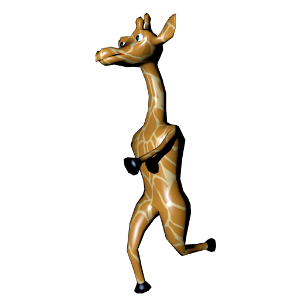
Wild Animal Sports Day is a simulation, sports game produced by Paul Bird and published by by Marjupi Games. All your favourite Wild Animals are competing for the title of Wild Animal Champion of Champions. Eight challenges: Tennis, Hurdles, Darts, Diving, Skiing, Pole-Vault, Trampolining and for the first time in a game Rhythmic Gymnastics. Test your skill, reflexes and memory. If you can complete them all to the required level you can win the ultimate prize. Ginger the Giraffe, Hugo the Hippo, Zirconda the Zebra, Linda the Lioness, Ronaldo the Rhino and Egbert the Elephant compete for the title of Ultimate Champion. The winner will rule over the animal kingdom. Now, of course, this is no ordinary sports competition. This is a Wild Sports competition. Expect sharks in the swimming pool...porcupines on the race track.. and watch out for King Croc! The King Croc does not want to be dethroned and is doing his best to stop the new challengers. But this is the tradition of Wild Animal Island. Wild Animal Sports Day (WASD) is out now!
Laptop Requirements for Wild Animal Sports Day
The system requirements are undemanding; nearly every new laptop will work for playing WASD.
Windows System Requirements
- Operating System: Windows 10 version 10240.0 or higher, Xbox One
- Memory (RAM): 2 GB
- Processor: 2 GHz
- Graphics Processing Unit: Intel HD 3000
- Operating System: Windows 10 version 10240.0 or higher, Xbox One
- Memory (RAM): Not specified
- Processor: 3GHz
- Graphics Processing Unit: Not specified
Best Windows Laptops for WASD
These laptops meet the recommended system requirements and let you enjoy the game on high graphics settings without lag and stutter.





Budget Windows Laptops for WASD
These cheaper options meet the minimum system requirements stated by the developer. You may need to lower the graphics settings or the in-game resolution to run the game smoothly.