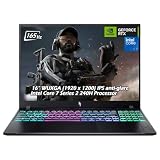
Find the best laptops for ZDSimulator

Best Laptops for ZDSimulator

ZDSimulator is a unique project of the real professional training apparatus for train driving schools, which is now available to any user as a railway simulator. It's a simulation game produced and released by by ZDSimulator Team on April 17, 2025.

Laptop Requirements for ZDSimulator

The system requirements are light, but its preferred to have a dedicated graphics processing unit for successfully playing ZDSimulator. GeForce MX550 or better mobile GPU is needed.

The RAM requirement of 8gb is easily met, but 2gb is enough to hit the baseline.

Windows System Requirements

Minimum:
  • Operating System: Windows 10
  • Processor: Intel Core i3 / AMD Ryzen 3
  • Memory (RAM): 2 GB RAM
  • Graphics Processing Unit: Intel HD Graphics 4000 / AMD Radeon R5, OpenGL Compatible
  • Storage space: 10 GB available space
Recommended:
  • Operating System: Windows 11
  • Processor: Intel Core i5 / AMD Ryzen 5
  • Memory (RAM): 8 GB RAM
  • Graphics Processing Unit: NVIDIA GTX 750 Ti / AMD R7 260X, OpenGL Compatible
  • Storage space: 20 GB available space

Best Windows Laptops for ZDSimulator

These laptops meet the recommended system requirements and let you enjoy the game on high graphics settings without lag and stutter.

16″
Lenovo Yoga 7i 2-in-1 16″
83JT
2026 modelTrusted brand16 GB RAMThin2-in-1 laptopTouchscreen
$1,099.99
$948.77
16″
Lenovo Yoga 7i 2-in-1 16″
83JT
2026 modelTrusted brand16 GB RAMThin2-in-1 laptopTouchscreen
$1,399.99
$1,120.00
16″
Lenovo Yoga 7i 2-in-1 16″
83JT
2026 modelTrusted brand16 GB RAMThin2-in-1 laptopTouchscreen
$1,199.99
$999.99
16″
Acer Nitro V 16″
Acer Nitro V 16″
Runs 80% of new games on recommended RTX 5060 GPU2026 model32 GB RAMIPS screen
$2,079.95
16″
Acer Nitro V 16″
Acer Nitro V 16″
Runs 80% of new games on recommended RTX 5060 GPU2026 model32 GB RAMIPS screen
$1,939.95
16″
Acer Nitro V 16″
Acer Nitro V 16″
Runs 50% of new games on recommended RTX 5050 GPU2026 model32 GB RAMIPS screen
$1,749.00
13″
ASUS ROG Flow Z13
ASUS ROG Flow Z13
Runs 80% of new games on recommended 8060S GPU2026 model64 GB RAMThin2-in-1 laptop
$2,689.00
16″
ASUS ROG Strix G16
ASUS ROG Strix G16
G615JMR-AS74
Runs 80% of new games on recommended RTX 5060 GPU2025 model16 GB RAMi7 CPU
$1,623.83
16″
ASUS ROG Strix G16
ASUS ROG Strix G16
Runs 80% of new games on recommended RTX 5060 GPU2026 model16 GB RAMi7 CPU
$1,745.57
16″
HP OmniBook 7 X Flip 16″
2026 modelTrusted brand32 GB RAMThin2-in-1 laptopTouchscreen
$1,899.99
16″
HP OmniBook 7 X Flip 16″
2026 modelTrusted brand32 GB RAMThin2-in-1 laptopTouchscreen
$1,899.99
16″
HP OmniBook 7 X Flip 16″
2026 modelTrusted brand32 GB RAMThin2-in-1 laptopTouchscreen
$1,999.99
Filter with Laptop Finder

Budget Windows Laptops for ZDSimulator

These cheaper options meet the minimum system requirements stated by the developer. You may need to lower the graphics settings or the in-game resolution to run the game smoothly.

15″
Dell LDC15250-3883BLK-PUS
Y3VGT
Trusted brand8 GB RAMThinIPS screenBudget choice
$499.00
16″
HP OmniBook X Flip 2-in-1 16″
G814JVR-IS96
2026 modelTrusted brand16 GB RAMThin2-in-1 laptopTouchscreen
$929.99
$830.88
15″
Lenovo V15 Gen 4
Lenovo V15 Gen 4
2024 modelTrusted brand16 GB RAMi5 CPU
$710.00
15″
Lenovo V15 Gen 4
Lenovo V15 Gen 4
2026 modelTrusted brand16 GB RAMi5 CPU
$885.00
16″
HP OmniBook 7 Flip 16″
B6JG7UAABA
2026 modelTrusted brand16 GB RAMThin2-in-1 laptopTouchscreen
$842.00
14″
HP Stream 14″
HP Stream 14″
2026 modelTrusted brand16 GB RAMSD card readerBudget choice
$449.00
Filter with Laptop Finder
ZDSimulator technical specifications for laptopDeveloper's websiteZDSimulator on Steam
Updated on November 4, 2026.
These recommendations are based on technical details and requirements. We can't guarantee that the game will run on every laptop.