

Dell Inspiron 15 3520
Laptop summary
Dell Inspiron 15 3520 is a decent value Windows touchscreen laptop released in 2023. It doesn't come with the top Intel CPU, however enough RAM for its price. The laptop is quite lightweight at only 3.82 lbs (1.73 kg). Full HD resolution is okay for the 15-inch IPS display. Your 1000gb SSD storage is acceptable.
Compare Dell Inspiron 15 3520 vs other touchscreen laptops:


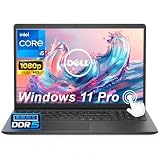

Dell Inspiron 15 3520
Specifications
| Dell Inspiron 15 3520 |
|---|
| Processor (CPU)?Central Processing Unit is the heart of a laptop and is responsible for executing programs. Read more |
| Intel Core i5-1135G7 |
| Memory (RAM)?Memory increases the general speed and multiprocessing capabilities of a laptop. Read more |
| 16gb |
| Graphics card (GPU)?Graphics Processing Unit calculates 3D graphics and is essential for gaming and heavy programs. Read more |
| Intel Iris Xe |
| Screen size |
| 15.6″ |
| Screen resolution |
| Full HD (1920 x 1080 pixels) |
| Weight |
| 3.82 lbs (1.73 kg) |
| Size (length x width x height) |
| 14.11 x 9.27 x 0.74 inches |
| (35.84 x 23.55 x 1.88 cm) |
| Operating system (OS) |
| Windows 11 Home |
| Hard drives |
| 1000gb SSD |
| Release date |
| November 14, 2023 |
| Amazon.com List Price |
| $879.99 |
| Amazon.com Lowest New Price |
| $879.99 |
| Buy on Amazon.com |
Laptop Dimensions
Dell Inspiron 15 3520
Dell Inspiron 15 3520 summary
Dell Inspiron 15 3520 15.6" FHD Touchscreen Laptop Computer, 16GB RAM, 1TB PCIe SSD, 4-Core Intel Core i5-1135G7, Numeric Keyboard, WiFi, HDMI, Webcam, SD Card Reader, Windows 11, Carbon Black
✅4 Cores Processor:Intel Core i5-1135G7, 4 Cores, Total 8 Threads, Up to 4.20GHz, 8MB Cache, Intel Iris Xe Graphics. Smart quad-core, eight-way processing performance. Intel Turbo Boost Technology delivers dynamic extra power when you need it, while increasing energy efficiency when you don't.
✅15.6" FHD Touchscreen:15.6" FHD (1920 x 1080) Anti-glare LED Backlight Touchscreen Narrow Border Display, Equipped with a FHD IPS touch screen, the border-less visual effect minimizes distractions offering better cinema, document and web browsing experience.
✅Upgraded to 16GB RAM: Substantial high-bandwidth RAM to smoothly run your games and photo- and video-editing applications, as well as multiple programs and browser tabs all at once.
✅Upgraded to 1TB NVMe SSD: Get up to 15x faster performance than a traditional hard drive. Give you a long-lasting and smooth experience, both system boot up and application start are very fast.
✅Windows 11 Home in S mode: You may switch to regular windows 11: Press "Start button" bottom left of the screen; Select "Settings" icon above "power" icon;Select Update & Security and Activation, then Go to Store; Select "Get" option under "Switch out of S mode"; Hit Install. (If you also see an "Upgrade your edition of Windows" section, be careful not to click the "Go to the Store" link that appears there.)
ASIN: B0CK15SGGK