
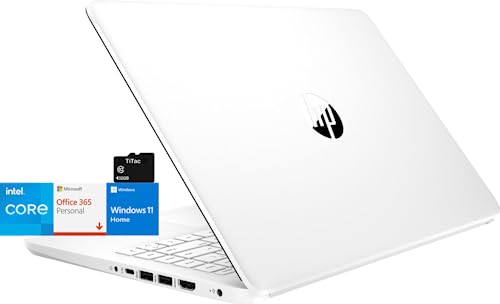
HP Stream 14
Laptop summary
HP Stream 14 is an excellent value Windows laptop released in 2023. It has a fantastic Intel CPU and lots of memory for its price. The laptop is portable enough at 3.24 lbs (1.47 kg). HD resolution is good for the 14-inch screen. The 64gb SSD storage is average.
Compare HP Stream 14 vs other budget laptops:





HP Stream 14
Specifications
| HP Stream 14 |
|---|
| Processor (CPU)?Central Processing Unit is the heart of a laptop and is responsible for executing programs. Read more |
| Intel Celeron N4120 |
| Memory (RAM)?Memory increases the general speed and multiprocessing capabilities of a laptop. Read more |
| 8gb |
| Graphics card (GPU)?Graphics Processing Unit calculates 3D graphics and is essential for gaming and heavy programs. Read more |
| Intel UHD Graphics 600 |
| Screen size |
| 14″ |
| Screen resolution |
| HD (1366 x 768 pixels) |
| Weight |
| 3.24 lbs (1.47 kg) |
| Size (length x width x height) |
| 12.68 x 8.27 x 0.74 inches |
| (32.21 x 21.01 x 1.88 cm) |
| Operating system (OS) |
| Windows 11 Home |
| Hard drives |
| 64gb SSD |
| Release date |
| August 3, 2023 |
| Amazon.com List Price |
| $279.99 |
| Amazon.com Lowest New Price |
| $279.99 |
| Buy on Amazon.com |
Laptop Dimensions
HP Stream 14
HP Stream 14 summary
HP Stream 14 Laptop, Intel Celeron Core, 8 GB RAM, 64 GB Storage, 14” HD Anti-Glare Display, Windows 11, Long Battery Life, Thin & Portable, Includes 1-Year Microsoft 365, TiTac, White
[Processor] Intel Quad-Core Celeron N4120 (1.1 GHz base frequency, up to 2.6 GHz burst frequency, 4 MB L2 cache, 4 cores)
[Display] 14" diagonal, NON-Touch HD (1366 x 768) Display, micro-edge, anti-glare, 220 nits, 45% NTSC. Smoothly stream your favorite content and easily run next-gen games with Intel UHD Graphics 600
[Memory & Storage] An embedded multimedia card provides 64 GB of reliable, flash-based storage while 4 GB of RAM expands your bandwidth and boosts your performance
[Ports & Bundle] Built-in HD webcam with microphone; 1 USB 3.1 Gen 1 Type-C (Data Transfer Only, 5 Gb/s signaling rate); 2 USB 3.1 Gen 1 Type-A (Data Transfer Only); 1 AC smart pin; 1 HDMI 1.4b; 1 headphone/microphone combo; bundled with TiTac 32GB Card, Brand Register on amazon
[OPERATION SYSTEM] Windows 11 Home in S mode (You may switch to regular windows 11 Home: open "Settings > System > Activation. Find the Switch to Windows 11 section, then select the Go to the Store link. On the page that appears in Microsoft Store (Switch out of S mode or a similar page), select the Get button"
ASIN: B0CBTWQ7K2